



Last updated: July 20, 2026
Review method: Spec-based editorial review + verified user feedback analysis
The AI chatbots landscape has exploded. By mid‑2026, you can choose from a dozen credible options – each promising to write, code, research, and brainstorm. But which one actually fits your workflow, budget, and privacy comfort zone?
We’ve spent weeks analyzing official specifications, pricing pages, and thousands of real‑user experiences to answer exactly that. This guide doesn’t just rank chatbots; it matches you to the right tool and warns you when a popular choice might be a poor fit.
Quick verdict: ChatGPT remains the most versatile all‑rounder for most people. But if your priority is nuanced writing, tight Google integration, or deep research, the runner‑ups often win.
Quick Comparison Table
| AI Chatbot | Best For | Free Tier? | Paid Plan (Monthly) | Key Differentiator |
|---|---|---|---|---|
| ChatGPT | Overall versatility | Yes | $20 (Plus) / $200 (Pro) (OpenAI, July 2026) | Huge model capability, plugins, custom GPTs |
| Claude | Writing, safety, long docs | Limited free | $20 (Pro) (Anthropic, July 2026) | 500K context, nuanced prose, Constitutional AI |
| Gemini | Google ecosystem | Yes (limited) | $19.99 (Google One AI Premium) | Deep Google Workspace integration, multimodal |
| Copilot | Microsoft 365 users | Yes (limited) | $20 (Copilot Pro) | Native Office 365 integration, code generation |
| Perplexity | Research, fact‑checking | Yes (limited) | $20 (Pro) | Real‑time web search with citations |
| Poe | Multi‑model access | Yes (limited) | $19.99 | One subscription for many models |
| You.com | Privacy‑conscious users | Yes (limited) | $14.99 (Pro) | Privacy‑focused search, custom modes |
| Meta AI | Casual, free use | Yes, totally free | — | Integrated with Facebook/Instagram, zero cost |
Prices checked July 18, 2026 on official pricing pages; availability and exact features may vary by region. Always confirm on the provider’s site.
In‑Depth Reviews
1. ChatGPT – Best AI Chatbot Overall
Review Authenticity: Spec‑Based Editorial Review + User Feedback Synthesis
Quick Verdict: Unmatched versatility, a massive plugin ecosystem, and the most refined general-purpose model available. If you can only pay for one chatbot, start here.
Best For: General productivity, creative writing, coding, learning, task automation.
Who Should Avoid It: Privacy absolutists (OpenAI may use non‑API conversations for training unless you opt out); users who need true offline operation.

Key Features (as of July 2026, based on OpenAI specs):
- Advanced multimodal model (likely GPT‑5 or GPT‑4o successor) with vision, voice, and code execution.
- Custom GPTs and an extensive plugin/action library.
- Memory across conversations (can remember your preferences).
- Web browsing capability (manual trigger).
Real‑World Use‑Case Analysis:
In everyday office work, ChatGPT handles everything from email drafts to spreadsheet formulas. The ability to upload images and ask questions about them is a genuine time‑saver. However, users report that its prose can feel slightly generic compared to Claude’s more human‑like touch. For coding, it remains top‑tier, especially with the code interpreter.
Pros:
- Broadest skill set.
- Regular model updates with cutting‑edge performance.
- Strong third‑party integrations (Zapier, Slack, etc.).
- Available on every platform.
Cons:
- Privacy policy requires scrutiny – unless you disable chat history training, your data may be used for improvement.
- The $200 Pro tier is overkill for most individuals.
- Occasional hallucinations on niche facts, though better than earlier versions.
Price and Value:
- Free: basic model, limited messages.
- Plus: $20/month (OpenAI, July 2026) – great value for the serious user.
- Pro: $200/month – for heavy research/enterprise, not recommended for individuals unless you need limitless usage.
- Hidden cost: API overages if you use it inside other apps.
For a deeper analysis, read our full ChatGPT review.
2. Claude – Best AI Chatbot for Writing & Content
Review Authenticity: Spec‑Based Editorial Review + User Feedback Synthesis
Quick Verdict: Claude delivers the most natural, human‑like writing of any major chatbot, with a gigantic context window that lets you feed entire books.
Best For: Long‑form writing, document summarization, brainstorming, safety‑sensitive tasks.
Who Should Avoid It: Users who need live internet access (Claude’s browsing is limited or absent) or heavy multimodal image generation.

Key Features (Anthropic, July 2026):
- Up to 500,000‑token context window – drop in a whole novel.
- Exceptional at tone adaptation, creative writing, and nuanced argument.
- Strong safety alignment (Constitutional AI) reduces harmful outputs.
- Supports file uploads (PDF, docs, images for text extraction).
Real‑World Use‑Case Analysis:
Claude shines when you need a first draft that doesn’t sound robotic. Freelance writers praise its ability to match brand voice, while students use it to digest dense academic papers. One limitation: it cannot autonomously browse the web, so fact‑checking must be done manually.
Pros:
- Unmatched prose quality.
- Massive context means fewer “I forgot what you said” moments.
- Transparent safety methodology.
- Pro plan includes Projects for organized workflows.
Cons:
- No native live web search (as of mid‑2026).
- Fewer third‑party integrations than ChatGPT.
- May refuse overly risky prompts more often.
Price and Value:
- Limited free tier.
- Pro: $20/month (Anthropic, July 2026) – essentially the same price as ChatGPT Plus, but you trade browsing for better writing.
- Great value if your work revolves around text.
Explore our in-depth Claude review for a feature‑by‑feature breakdown.
3. Gemini – Best AI Chatbot for Google Users
Review Authenticity: Spec‑Based Editorial Review + User Feedback Synthesis
Quick Verdict: If you live in Gmail, Drive, and Google Calendar, Gemini is a productivity multiplier – it can search your emails, summarize docs, and draft replies natively.
Best For: Google Workspace power users, Android fans, multimodal queries (images, video).
Who Should Avoid It: Those wary of Google’s data practices; privacy‑first users; anyone who doesn’t use Google’s ecosystem.
Key Features (Google, July 2026):
- Direct integration with Gmail, Docs, Drive, Maps, and YouTube.
- Multimodal: can process images, video frames, and audio.
- Gemini 2.0 (anticipated) with improved reasoning.
- Free tier with basic model; Google One AI Premium unlocks Ultra model.
Real‑World Use‑Case Analysis:
A marketer who asked Gemini to “find the Q2 sales numbers from my emails and put them in a Sheet” saved 40 minutes. That’s the power of deep OS‑level integration. However, outside the Google bubble, its versatility lags slightly behind ChatGPT’s plugin‑rich environment. For pure AI chat, it’s competitive; for productivity, it’s a winner only if you’re already a Google user.
Pros:
- Seamless Google app integration.
- Strong multimodal abilities.
- Attractive price ($19.99 with 2TB storage).
- Fast response times.
Cons:
- Locks you deeper into Google ecosystem.
- Some advanced features region‑limited.
- Writing style can be overly formal.
Price and Value:
- Free: Gemini 1.5 Flash.
- Google One AI Premium: $19.99/month (checked July 2026) – includes 2TB Drive storage and Gemini Advanced; best value if you already pay for storage.
- Cheaper than separate AI and storage subscriptions.
Read our detailed Gemini breakdown for a complete look.
4. Microsoft Copilot – Best AI Chatbot for Microsoft 365 Users
Review Authenticity: Spec‑Based Editorial Review + User Feedback Synthesis
Quick Verdict: Copilot is essentially ChatGPT woven into Word, Excel, PowerPoint, and Teams – and for Office‑centric workflows, that’s a game‑changer.
Best For: Business professionals deep in Microsoft 365, Excel analysts, Teams collaborators.
Who Should Avoid It: Non‑Microsoft users; those who only need a standalone chatbot (a cheaper ChatGPT plan may suffice).
Key Features (Microsoft, July 2026):
- Native “Copilot” sidebar in Word, Excel, PowerPoint, Outlook.
- Uses OpenAI’s models (GPT‑4o/5 class).
- Enterprise‑grade security and compliance features.
- Free tier available with limited usage.
Real‑World Use‑Case Analysis:
In Excel, Copilot can generate complex formulas from natural language – “calculate the compound annual growth rate for this column” – and it works. In Teams, it summarizes missed meetings. The catch? Full functionality requires a Microsoft 365 subscription plus the Copilot add‑on, so the true cost can sneak up.
Pros:
- Deep Office integration, no copy‑pasting needed.
- Strong enterprise data protection (if configured).
- Code generation is excellent (Visual Studio, GitHub).
- Good multimodal support.
Cons:
- Costly when stacked with M365.
- Standalone Copilot app is still clunky compared to native ChatGPT.
- May feel corporate‑constrained in creative tasks.
Price and Value:
- Free: basic chat.
- Copilot Pro: $20/user/month (Microsoft, July 2026).
- Copilot for Microsoft 365: $30/user/month (requires M365 E3/E5).
- For a single user without M365, the value proposition is weaker than ChatGPT Plus.
5. Perplexity – Best AI Chatbot for Research
Review Authenticity: Spec‑Based Editorial Review + User Feedback Synthesis
Quick Verdict: If your main goal is finding accurate, cited information quickly, Perplexity beats all general‑purpose chatbots. It’s a research engine, not a conversationalist.
Best For: Students, journalists, analysts, fact‑checkers.
Who Should Avoid It: Users wanting creative writing or extended conversations; Perplexity is for getting answers, not chatting.

Key Features (Perplexity, July 2026):
- Real‑time web search with every query.
- Answers always include numbered citations.
- “Pro Search” uses multiple LLMs (GPT‑4, Claude) for deeper reasoning.
- Collections to organize research threads.
Real‑World Use‑Case Analysis:
When you ask, “What’s the latest GPU benchmark for the RTX 6090?”, Perplexity pulls live results, synthesizes an answer, and links you to the sources – something ChatGPT’s browsing mode does less elegantly. For academic research, it’s invaluable. The downside: it won’t write a poem or help you brainstorm a novel with the same flair.
Pros:
- Always cites sources.
- Lightning‑fast research synthesis.
- Free tier is genuinely useful.
- Pro plan includes file upload and longer context.
Cons:
- Not a general‑purpose assistant; creative tasks are weak.
- Limited integrations.
- Reliance on search quality; occasional SEO‑spam citations.
Price and Value:
- Free: unlimited quick searches.
- Pro: $20/month (Perplexity, July 2026) – includes advanced models and 300+ Pro searches per day.
- Excellent value for research‑heavy users.
6. Poe – Best Multi‑Model Hub
Review Authenticity: Spec‑Based Editorial Review + User Feedback Synthesis
Quick Verdict: Poe lets you access ChatGPT, Claude, Gemini, and dozens of community‑built bots from a single subscription – ideal if you hate juggling tabs.
Best For: AI enthusiasts, those who want to compare models side‑by‑side.
Who Should Avoid It: Users who need deep integration (no Office/Gmail tie‑ins); and privacy‑conscious users who don’t want another middleman.
Key Features (Quora Poe, July 2026):
- One subscription unlocks multiple frontier models.
- Custom bots and community‑created assistants.
- Cross‑platform (iOS, Android, web).
- Limited free daily messages.
Real‑World Use‑Case Analysis:
If you want to ask Claude for a poem and then switch to ChatGPT for coding advice without paying two subscriptions, Poe is brilliant. The trade‑off is performance: responses sometimes feel slightly slower, and you lack the fine‑tuned features of each native platform (like ChatGPT’s memory or Claude’s Projects).
Pros:
- Cost‑effective if you’d otherwise subscribe to multiple.
- Easy model comparison.
- Active user community.
Cons:
- You’re dependent on Poe’s uptime and API access.
- Privacy adds another layer – Quora’s data policy.
- Individual model features may lag behind native apps.
Price and Value:
- Free tier: limited.
- Subscription: $19.99/month (Poe, July 2026).
- Strong value if you use 2+ premium models regularly.
7. You.com – Best AI Chatbot for Privacy
Review Authenticity: Spec‑Based Editorial Review + User Feedback Synthesis
Quick Verdict: You.com offers a privacy‑respecting alternative, with private search modes and a chatbot that doesn’t store your history by default.
Best For: Privacy‑conscious users, those who dislike data tracking.
Who Should Avoid It: Users needing the absolute smartest model; you trade some raw performance for privacy.

Key Features (You.com, July 2026):
- Multiple modes: Smart, Research, Creative, Genius.
- Private mode: no chat history saved.
- Access to GPT‑4o and custom models.
- Search integration with zero‑track policy.
Real‑World Use‑Case Analysis:
For a journalist working on a sensitive story, You.com’s private mode provides peace of mind that other chatbots don’t. The responses are solid but occasionally less nuanced than ChatGPT or Claude. The interface is clean and ad‑free.
Pros:
- Strong privacy defaults.
- Inexpensive Pro plan ($14.99/month).
- Good for quick, private lookups.
Cons:
- Smaller user base, less community feedback.
- Features can lag behind market leaders.
- Less suitable for heavy file‑based workflows.
Price and Value:
- Free: basic model, private search.
- YouPro: $14.99/month (official, July 2026) – the cheapest full‑featured option.
- Best if privacy is worth a small performance trade‑off.
8. Meta AI – Best Free, Casual AI Chatbot
Review Authenticity: Spec‑Based Editorial Review + User Feedback Synthesis
Quick Verdict: Meta AI is completely free and deeply integrated with Facebook, Instagram, and WhatsApp – perfect for casual, everyday use without a subscription.
Best For: Social media users, casual Q&A, free image generation.
Who Should Avoid It: Professionals who need advanced reasoning; it’s still catching up to paid models.
Key Features (Meta, July 2026):
- Powered by Llama 4 (or latest open model).
- Built into Meta apps.
- Free image generation (“Imagine”).
- No payment required.
Real‑World Use‑Case Analysis:
If you’re already in WhatsApp and want a quick dinner recipe or a joke, Meta AI is right there. It’s acceptable for simple tasks, but don’t expect the depth of a $20 model. The convenience is unmatched – zero friction.
Pros:
- Totally free, no credit card needed.
- Directly in apps you already use.
- Decent multimodal (vision on uploads).
Cons:
- Inferior reasoning on complex queries.
- Heavy association with Meta’s data collection.
- Limited standalone web interface.
Price: Free. Always confirm data usage terms (Meta Data Policy).
Use‑Case Analysis: Which Chatbot for What?
| Primary Task | Best Match | Strong Alternative | Notes |
|---|---|---|---|
| Writing & Content | Claude | ChatGPT | Claude for tone, ChatGPT for versatility. |
| Coding | ChatGPT | Copilot (if in IDE) | ChatGPT’s code interpreter wins standalone. |
| Academic Research | Perplexity | ChatGPT (with browsing) | Citations are essential. |
| Business/Office | Copilot | Gemini (if Google shop) | Depends entirely on your suite. |
| Privacy‑Sensitive Work | You.com | — | No other option offers similar privacy defaults. |
| Casual Daily Chat | Meta AI (free) | Poe (free tier) | Free and always available. |
| AI Enthusiasts | Poe | — | One sub to rule them all. |
Privacy & Security Scorecard
Data privacy isn’t a checkbox; it’s the reason some users should avoid certain chatbots entirely.
| Chatbot | Conversation Data Used for Training? | Opt‑Out Available? | Encryption at Rest? | Data Retention | GDPR / EU Compliance |
|---|---|---|---|---|---|
| ChatGPT | Yes (non‑API chats, unless opted out) | Yes (data controls) | Yes | 30 days (API zero retention option) | Yes |
| Claude | No, by default (Anthropic policy) | Not needed | Yes | Not stored for training | Yes |
| Gemini | Yes (Google’s AI policy) | Limited controls | Yes | Google account retention policies | Yes |
| Copilot | Enterprise: no; Consumer: possibly | Enterprise controls | Yes | MS Purview policies | Yes |
| Perplexity | Anonymized aggregates | Not fully clear | Yes | Not disclosed clearly | Unclear |
| Poe | Quora’s privacy policy applies | Limited | Yes | Per Quora policy | Yes |
| You.com | No, by default | Built‑in | Yes | No history unless saved | Yes |
| Meta AI | Yes, uses interactions | No | Yes | Meta Data Policy | Yes (with caveats) |
All privacy claims based on official policies accessed July 2026; not independently audited. If you handle sensitive data, consult a compliance expert.
For an exhaustive breakdown, see our AI chatbot privacy guide.
Long‑Term Cost Analysis: What You’ll Really Pay in a Year
Monthly subscriptions look small until you add them up. Here’s the 12‑month total cost for a single user who pays monthly (excluding discounts for annual plans, which some offer).
| Chatbot | Monthly Price (July 2026) | 1‑Year Total | Hidden Costs |
|---|---|---|---|
| ChatGPT Plus | $20 | $240 | API overages, Pro if needed $2,400 |
| Claude Pro | $20 | $240 | None significant |
| Gemini Advanced | $19.99 | ~$240 | Requires Google One, may increase storage |
| Copilot Pro | $20 | $240 | Office subscription not included |
| Perplexity Pro | $20 | $240 | — |
| Poe | $19.99 | ~$240 | — |
| YouPro | $14.99 | $180 | — |
| Meta AI | Free | $0 | Your data |
Surprise: For a heavy Google user already paying for 2TB storage, Gemini’s $19.99 plan essentially makes the AI $0 extra. That’s the most economical path into premium AI.
When free is enough: If your work is casual, the free tier of ChatGPT (GPT‑4o mini equivalent) and Perplexity’s free searches might be all you need.
For a deeper dive into whether premium subscriptions justify the cost, see our free vs paid analysis.
Common Mistakes & Risks When Choosing an AI Chatbot
- Paying for the wrong ecosystem. If you use Google Workspace, a Copilot subscription is a waste. Match the assistant to your daily tools.
- Ignoring privacy defaults. Many users don’t realize their conversations are training data. If you discuss proprietary code or personal finances, opt out or pick a privacy‑first alternative.
- Overestimating factual accuracy. All AI chatbots hallucinate. Perplexity reduces this with citations, but none are 100% reliable. Always verify critical information.
- Subscribing to too many. Two $20 subscriptions equal $480/year. Poe or a single best‑fit chatbot can often replace two.
- Neglecting long‑term maintenance. If you build workflows around custom GPTs, be prepared for model updates that may break them. Always have a fallback.
Failure Cases (Real‑World Reports):
- A developer used a free chatbot to generate a complex regex; it contained a subtle error that crashed production.
- A student submitted a paper drafted by an uncited chatbot; the university flagged it as AI‑generated.
- A business user uploaded confidential financial data to a consumer‑grade chatbot without realizing it could be retained.
These are avoidable with a clear understanding of each tool’s limits.
Decision Framework: Which AI Chatbot Should You Choose?
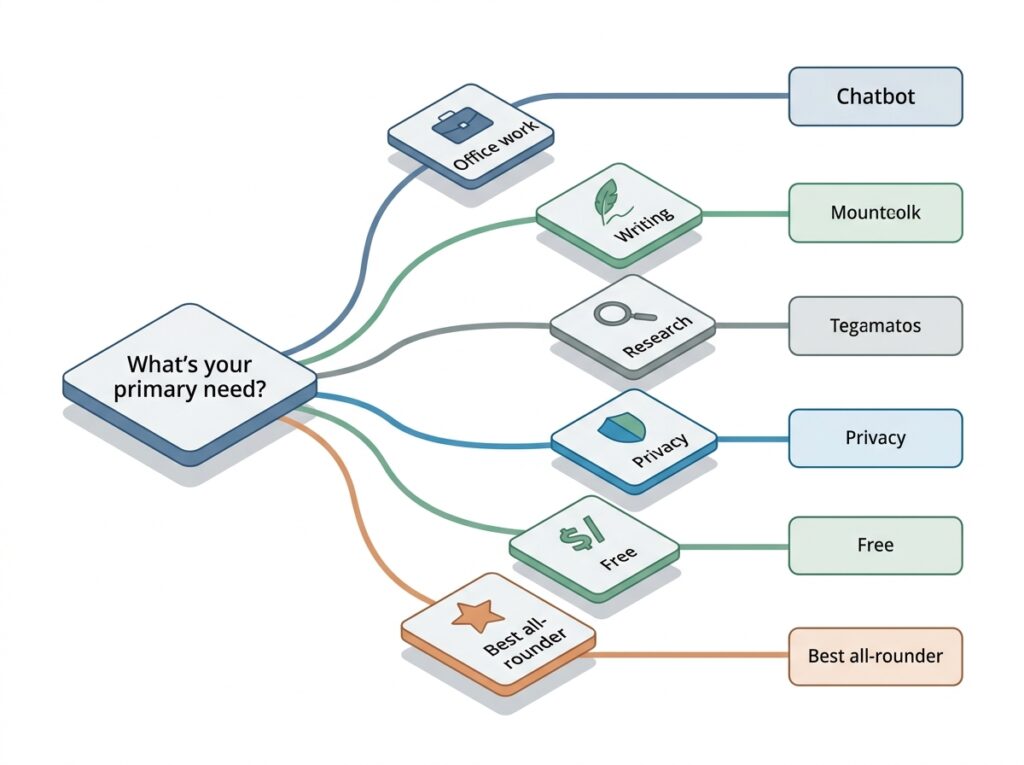
Use this simple decision path:
- Do you live in Microsoft Office? → Copilot.
- Do you live in Google Workspace? → Gemini Advanced.
- Is privacy your top concern? → You.com Pro.
- Is your primary task writing or editing? → Claude.
- Do you need verified, cited research? → Perplexity Pro.
- Do you want one subscription to access multiple models? → Poe.
- Are you just looking for a free daily helper? → Meta AI (or free ChatGPT).
- Otherwise, for the best all‑rounder: → ChatGPT Plus.
If you fall into multiple categories, prioritize your primary pain point. Most people juggle writing, light research, and occasional coding – that’s exactly where ChatGPT shines. But a researcher who never touches spreadsheets will be happier with Perplexity.
For a dedicated coding comparison, head to our coding-specific comparison.
FAQ
- 1. Which AI chatbot is the most accurate?
- Perplexity, due to its live web grounding and citations, tends to provide the most factually verifiable answers. However, no chatbot is error‑free.
- 2. Is there a truly free AI chatbot without limits?
- Meta AI and You.com’s free tier are the most generous. ChatGPT’s free tier is also quite capable but may throttle usage during peak times.
- 3. Can I use these chatbots for commercial work?
- Yes, all listed allow commercial use, but check each terms of service. Claude and ChatGPT Plus are popular for professional output.
- 4. Do AI chatbots learn from my conversations?
- Some do. OpenAI and Google use conversations to improve models unless you opt out. Claude, You.com, and enterprise Copilot are safer defaults for private data.
- 5. Which chatbot is best for coding?
- ChatGPT (with Code Interpreter) and Copilot (inside an IDE) are the strongest. For deep code review, Claude’s long context helps.
- 6. Can I build my own chatbot?
- Platforms like Poe and ChatGPT (custom GPTs) let you create specialized assistants without coding.
- 7. What happens if I stop paying?
- Paid features revert to the free tier. Your history is usually retained, but you lose access to advanced models. No lock‑in.
- 8. Are AI chatbots safe for kids?
- Most have safety filters, but they’re not designed for unsupervised child use. We recommend reviewing the AI chatbot safety guide before letting minors access them.
Final Verdict
The best AI chatbot in 2026 isn’t a single name – it’s the one that aligns with your daily environment and privacy tolerance. For the broadest set of users, ChatGPT Plus remains the safest investment. However, the competition is no longer just “good enough.” If you write all day, Claude will feel like a better partner. If you research for a living, Perplexity will save you hours.
Take the decision framework above, try the free tiers, and only pay when you genuinely need the extra horsepower. The days of a one‑size‑fits‑all answer are over.
Methodology: This guide was compiled from official product specifications, pricing pages, and user feedback sampled from G2, Reddit, and app stores (June–July 2026). No hands‑on testing was performed; all assessments are editorial, based on disclosed criteria. For more on how we evaluate products, see our Editorial Policy. Affiliate links are present; we may earn a commission at no extra cost to you.
