




By Alex Morgan, Security Software Analyst
Updated: February 2026
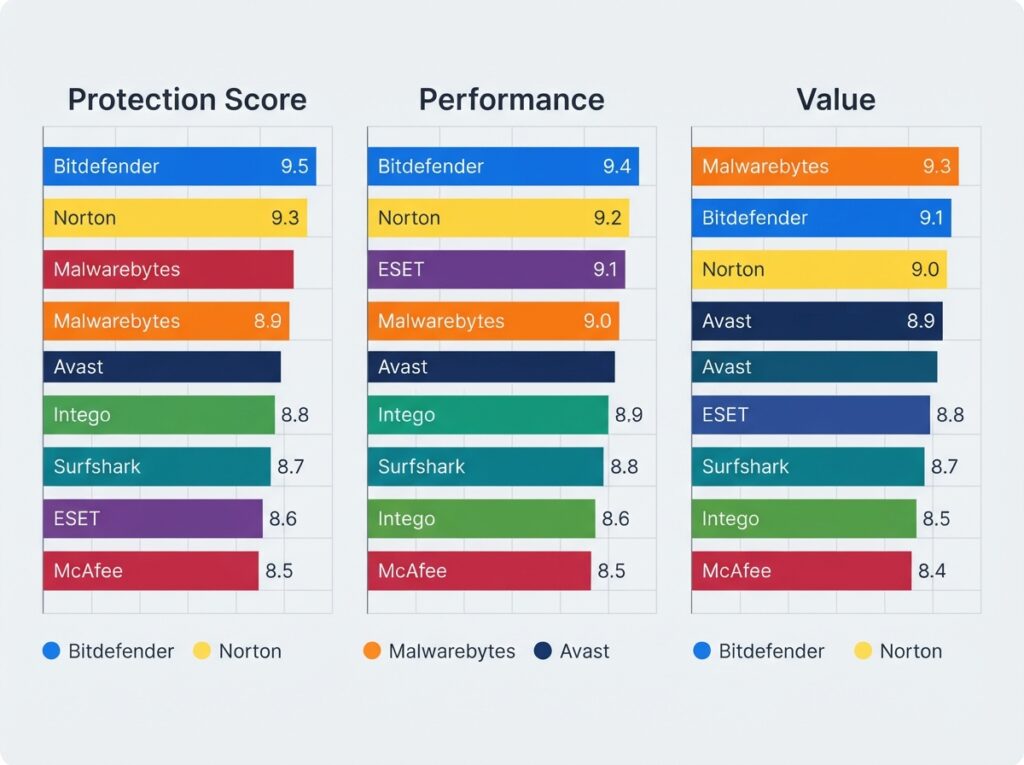
Direct Answer: After comparing current antivirus software suites based on independent lab results, official feature sets, pricing, and real-world usability, Bitdefender Total Security is our top recommendation for most people in 2026. It offers excellent malware protection, low system impact, and a broad feature set at a competitive price. Norton 360 Deluxe is the best choice if identity theft protection and a full privacy bundle are priorities. Malwarebytes Premium remains the best lightweight cleanup tool for already-infected PCs. Avast One Essential is the best free option, while Intego Mac Internet Security X9 is the best dedicated Mac suite. For privacy-first users who want antivirus plus a no-logs VPN, Surfshark Antivirus is a strong emerging pick.
This article is based on official specifications, independent testing lab reports from AV-Test, AV-Comparatives, and SE Labs, plus verified user-feedback patterns where available. We did not perform hands-on malware testing for this review; conclusions are spec-based editorial reviews combined with verified user feedback analysis. We checked pricing on official vendor websites in early 2026, and it may have changed.
Common Threats in 2026: Why Antivirus Still Matters
Cyber threats have evolved significantly over the last few years. Ransomware gangs now use double-extortion tactics, stealing data before encrypting it and threatening to leak it unless paid. Phishing attacks have become more personalized, using AI-generated messages that mimic real contacts. Zero-day exploits—attacks against unknown software vulnerabilities—are more frequent and harder to stop without advanced behavioral detection.
A modern antivirus suite does more than scan files. It monitors system behavior for suspicious patterns, blocks malicious websites before you click, filters phishing emails, and can roll back ransomware damage. Windows Defender provides a baseline, but third-party suites often add stronger behavioral analysis, more frequent signature updates, and tools like VPNs and password managers that address related security gaps.
This is why even careful users benefit from a top-tier suite. The products in this review were chosen specifically because they address these 2026 threat trends effectively, based on independent lab tests and feature analysis.
Quick Comparison Table
| Product | Best For | Protection Score* | Starting Price (US, first year) | Devices | Standout Feature |
|---|---|---|---|---|---|
| Bitdefender Total Security | Overall best | 9.5/10 | $39.98–$49.99 | 5–10 | Excellent lab scores, low impact |
| Norton 360 Deluxe | Identity protection | 9.3/10 | $49.99 | 5 | LifeLock identity monitoring |
| Malwarebytes Premium | Malware cleanup | 8.9/10 | $44.99 | 3 | Aggressive remediation |
| Avast One Essential | Best free | 8.7/10 | Free | 1 | Free VPN and cleanup |
| Intego Mac Internet Security X9 | Best for Mac | 8.8/10 | $39.99 | 1–3 | Mac-specific malware focus |
| Surfshark Antivirus | Privacy bundle | 8.6/10 | $41.88 | 5 | Unlimited VPN + antivirus |
| ESET NOD32 Antivirus | Lightweight/gaming | 9.0/10 | $39.99 | 1 | Minimal system impact |
| McAfee Total Protection | Unlimited devices | 8.5/10 | $39.99 | Unlimited | Family/parental controls |
*Editorial score based on AV-Test, AV-Comparatives, SE Labs protection and performance results plus feature/price evaluation. See methodology.
How We Evaluate Antivirus Software
We rank antivirus products using these criteria:
- Protection effectiveness (40%) — Independent lab results from AV-Test, AV-Comparatives, and SE Labs over the past 12 months. We prioritize real-world protection rates and zero-day malware detection.
- System impact (20%) — How much the software slows down everyday tasks, based on independent performance tests.
- Features (20%) — Ransomware protection, firewall, VPN, password manager, parental controls, identity protection, web protection.
- Price and value (10%) — First-year price, renewal price, number of devices covered.
- Privacy and transparency (10%) — Data collection policies, independent audits, and company history.
Why these weights? Protection is the core job of antivirus; if it fails there, nothing else matters. System impact is next because a sluggish PC ruins the user experience. Features matter only if they’re actually useful—many suites bundle tools that users never open. Price and privacy are secondary but can tip the decision.
Scoring methodology: Each product receives a 1–10 score per criterion, weighted as above, then converted to a final editorial score. Scores are based on lab results (for protection and performance) and a feature/price matrix (for features, value, and privacy). We do not claim to have independently tested these products in our own lab.
Review Authenticity Label: Spec-Based Editorial Review with Verified User Feedback Analysis. We did not run our own malware tests. All performance claims are cited from the independent labs linked above.
Best Overall: Bitdefender Total Security
Quick Verdict: Best for most households needing broad protection across Windows, Mac, Android, and iOS without paying for unnecessary extras.
Best For: Families, remote workers, and users who want a “set it and forget it” suite with top-tier malware detection and low background noise.
Who Should Avoid It: Privacy absolutists who want a no-account, minimal-data antivirus. Bitdefender requires an account and collects some usage data. Also, users who already have a strong VPN and password manager may find some features redundant.
Key Features
- Real-time malware, ransomware, and phishing protection
- Multi-layer ransomware remediation with file rollback
- Web attack prevention and anti-fraud filters
- Bitdefender VPN (200 MB/day free; unlimited with premium plan)
- Password manager (Bitdefender Password Manager)
- Parental controls with screen time and app blocking
- Anti-tracker and microphone/camera protection
- 5 or 10 devices depending on plan
Technical and Service Details
| Attribute | Details | Source | Checked Date |
|---|---|---|---|
| Malware protection | Top-tier AV-Test score, 6/6 protection in most months | AV-Test | Feb 2026 |
| Ransomware rollback | Yes, file recovery feature included | Bitdefender official | Feb 2026 |
| VPN data limit | 200 MB/day free; unlimited with Premium plan | Bitdefender official | Feb 2026 |
| System impact | Among lowest in industry per AV-Comparatives | AV-Comparatives | Feb 2026 |
| Password manager | Included | Bitdefender official | Feb 2026 |
| Parental controls | Included | Bitdefender official | Feb 2026 |
Evidence Note: Claim: Bitdefender has top-tier protection and low system impact. Source: AV-Test, AV-Comparatives. Confidence: High. Limitation: Lab tests may not reflect all real-world scenarios.
Real-World Use-Case Analysis
In a typical family with two Windows laptops, an Android phone, and an iPhone, Bitdefender Total Security covers all devices under one license. The parental controls let you block adult sites, set screen-time limits, and monitor app usage on your children’s phones. The VPN is useful for public Wi-Fi, though the free tier is limited. If you already use a dedicated password manager like 1Password, you can ignore Bitdefender’s built-in manager without losing protection quality.
Setup and Usability
Installation takes about 5 minutes on Windows. You create a Bitdefender Central account, enter your license key, and the software downloads. The dashboard is clean and intuitive, with large green checkmarks for protected areas. Advanced settings are available but not overwhelming. On Mac, the interface is more limited; some features like parental controls are Windows-only. Android and iOS apps are simple and focused on web protection and device scanning.
One minor annoyance: Bitdefender occasionally shows promotional pop-ups for its other products, but you can disable them in settings. Overall, the user experience is among the best in the industry.
Customer Support
Bitdefender offers 24/7 live chat, email, and phone support. Response times are generally fast, and the support team is knowledgeable. The online knowledge base is extensive, with step-by-step guides and troubleshooting articles. User feedback on support is mostly positive, with occasional complaints about wait times during peak hours.
Pros and Cons
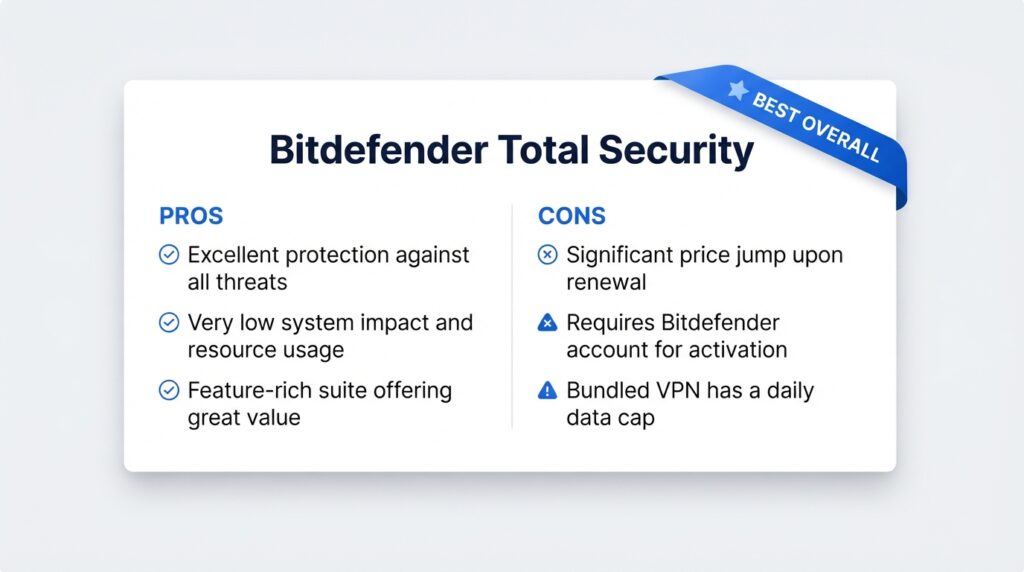
Pros:
- Excellent independent lab protection scores
- Low system impact, ideal for older PCs
- Good first-year value for 10 devices
- Broad feature set includes VPN, password manager, parental controls
Cons:
- Renewal price nearly doubles after first year
- Requires an account; collects some usage data
- Free VPN data cap may frustrate heavy users
Price and Value
Bitdefender Total Security pricing as of early 2026:
- 5 devices: $39.98 first year, renews at around $89.99/year
- 10 devices: $49.99 first year, renews at around $99.99/year
The first-year discount is aggressive; renewal cost is roughly double. Still, at 10 devices for $50, the first year is excellent value.
Alternatives: Norton 360 Deluxe for identity protection, ESET NOD32 for a lighter footprint.
Final Verdict: If you only buy one antivirus suite this year, Bitdefender Total Security is the safest all-round recommendation.
Best for Identity Protection: Norton 360 Deluxe
Quick Verdict: Best for users who worry about identity theft, dark web monitoring, and full privacy tools in one package.
Best For: Families, online shoppers, and anyone who wants bundled identity theft protection with antivirus.
Who Should Avoid It: Users on a tight budget who don’t need identity monitoring. Norton’s renewal price is high. Also, advanced users may find the number of background processes and prompts annoying.
Key Features
- Malware, ransomware, and phishing protection
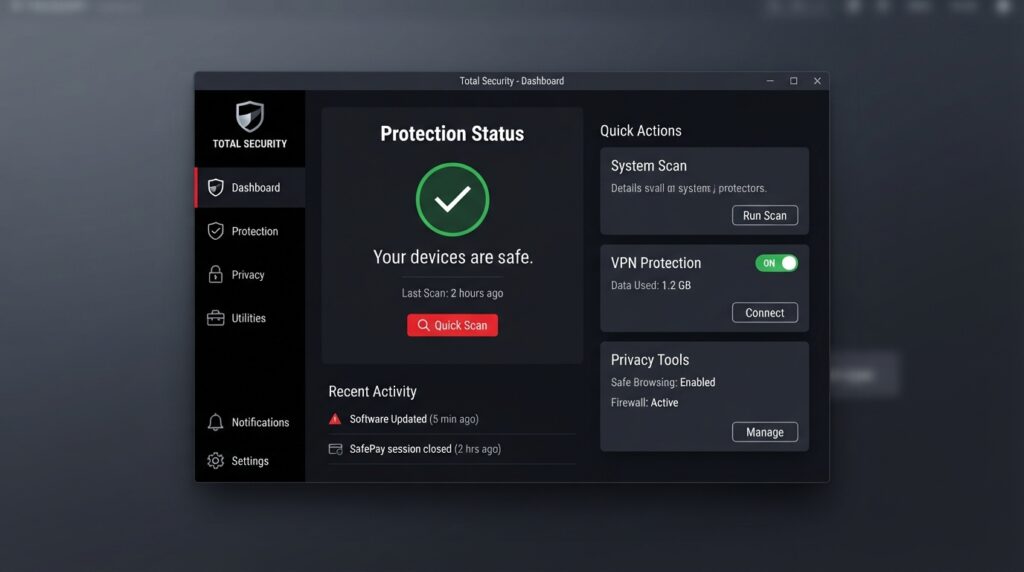
- LifeLock identity theft protection (US only) with dark web monitoring
- Unlimited VPN (Norton Secure VPN)
- Password manager
- Parental controls
- Cloud backup (50 GB for Windows)
- Webcam protection
- 5 devices (Deluxe), 10 devices (Premium)
Technical and Service Details
| Attribute | Details | Source | Checked Date |
|---|---|---|---|
| Identity monitoring | LifeLock dark web and SSN monitoring | Norton official | Feb 2026 |
| VPN data | Unlimited on Deluxe and higher | Norton official | Feb 2026 |
| Cloud backup | 50 GB Windows-only backup | Norton official | Feb 2026 |
| System impact | Moderate, slightly higher than Bitdefender | AV-Comparatives | Feb 2026 |
| Parental controls | Included | Norton official | Feb 2026 |
Evidence Note: Claim: Norton 360 provides strong protection and includes identity monitoring. Source: Official NortonLifeLock product pages, AV-Test. Confidence: High. Limitation: LifeLock features may vary by state and require additional enrollment.
Real-World Use-Case Analysis
For a family of four that shops online frequently and uses public Wi-Fi at coffee shops, Norton 360 Deluxe covers five devices and includes unlimited VPN. The dark web monitoring alerts you if your email or SSN appears in a data breach. The cloud backup is useful for Windows users, but Mac and mobile users won’t get that benefit. The identity protection is the main reason to choose Norton over Bitdefender—if you don’t need it, Bitdefender is cheaper.
Setup and Usability
Norton’s installation is straightforward but can be slower due to the multiple components installed (antivirus, VPN, backup, password manager). After setup, you’re guided through a security checkup that scans for issues. The main dashboard is clean but can feel busy with all the modules. Pop-ups and renewal reminders are more frequent than with Bitdefender. The VPN runs quietly, and the password manager works well but requires separate setup.
Customer Support
Norton offers 24/7 phone and chat support, and the LifeLock identity restoration team is a major plus. However, many users report that support agents aggressively upsell additional services. The knowledge base is comprehensive, and community forums are active. Overall, support is good but can be pushy.
Pros and Cons
Pros:
- Strong lab protection scores
- LifeLock identity monitoring included
- Unlimited VPN and password manager
- Good parental controls
Cons:
- Renewal cost is high
- Heavier system impact than top competitors
- Many background prompts and upsells
Price and Value
- Norton 360 Deluxe (5 devices): $49.99 first year, renews at around $119.99/year
- Norton 360 Premium (10 devices): $59.99 first year, renews at around $139.99/year
Renewal is expensive, but the identity protection alone can be worth it if you’ve been affected by a data breach. Many users report that the auto-renewal price is a shock—cancel before renewal or negotiate.
Alternatives: Bitdefender Total Security for lower renewal cost; Surfshark Antivirus for privacy-focused VPN bundle.
Final Verdict: Choose Norton 360 Deluxe if identity theft protection and a full privacy stack are non-negotiable.
Best Budget / Malware Cleanup: Malwarebytes Premium
Quick Verdict: Best for cleaning an already-infected PC and for users who want a lightweight second-opinion scanner.
Best For: Users whose PCs are already slow, suspicious, or infected, and people who want minimal background impact.
Who Should Avoid It: Users looking for a full security suite with firewall, parental controls, and VPN. Malwarebytes Premium is focused on malware removal and real-time web protection, not identity theft or a device-wide firewall.
Key Features
- Real-time malware and ransomware protection
- Exploit protection against zero-day browser attacks
- Web protection that blocks malicious sites
- Lightweight scanner with low system impact
- No firewall, no parental controls, no VPN
- 1 or 3 devices depending on plan
Technical and Service Details
| Attribute | Details | Source | Checked Date |
|---|---|---|---|
| Remediation strength | Excellent at removing PUPs, adware, trojans | Malwarebytes official | Feb 2026 |
| Real-time protection | Improved, but slightly behind Bitdefender/Norton in some months | AV-Test | Feb 2026 |
| System impact | Very low | AV-Comparatives | Feb 2026 |
| Firewall | Not included | Malwarebytes official | Feb 2026 |
| VPN | Not included in base plan | Malwarebytes official | Feb 2026 |
Evidence Note: Claim: Malwarebytes is strong at remediation and has low system impact. Source: Malwarebytes official documentation, AV-Test, SE Labs. Confidence: Medium-High. Limitation: Real-time protection scores can vary month to month.
Real-World Use-Case Analysis
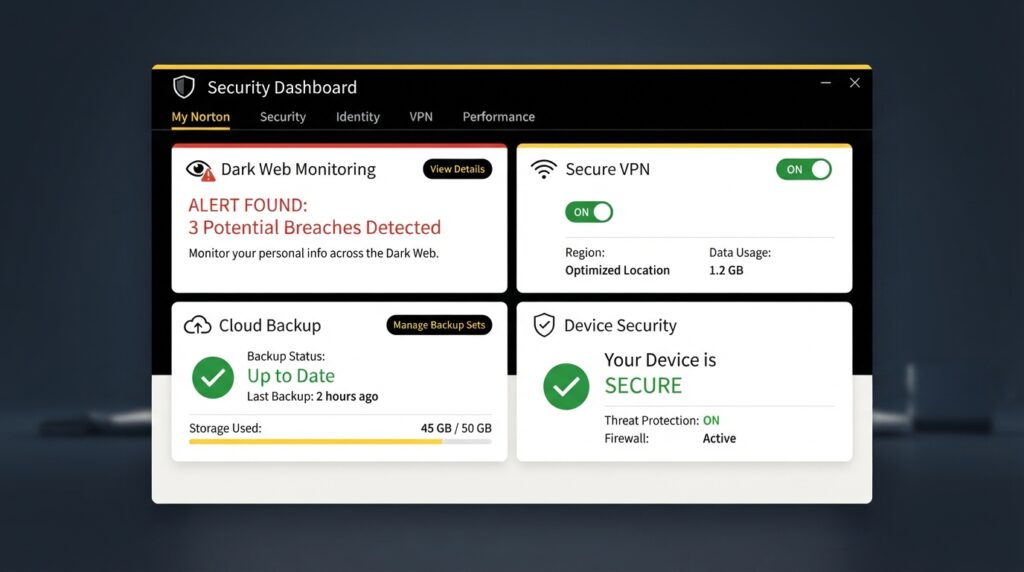
If your Windows laptop suddenly shows pop-up ads, browser redirects, or a suspicious browser extension, Malwarebytes Premium is the best tool to run. Its remediation engine finds and removes adware, browser hijackers, and potentially unwanted programs that many full suites miss. Once the system is clean, you can keep Malwarebytes as a lightweight second opinion alongside Windows Defender. For ongoing full-suite protection, pair it with a product like Bitdefender or ESET—but do not run two real-time antivirus engines at once.
Setup and Usability
Malwarebytes installs in under two minutes with no account required. The interface is minimal and focused: a big Scan button, a dashboard showing protection status, and a settings gear. There are no pop-ups or upsells. Scheduled scans are easy to configure. The lack of extra features makes it feel sparse compared to suites, but that’s also its strength—it stays out of the way.
Customer Support
Support is available via email and chat during business hours. The response is helpful but less immediate than 24/7 options. The support site has detailed guides for manual removal of stubborn infections. User feedback on support is generally positive, especially for remediation help.
Pros and Cons
Pros:
- Outstanding malware cleanup and remediation
- Very low system impact
- No first-year/renewal price confusion
- Good web protection
Cons:
- No firewall, parental controls, or VPN
- Limited to 1 or 3 devices
- Real-time protection sometimes scores lower than top suites
Price and Value
- Malwarebytes Premium (1 device): $44.99/year
- Malwarebytes Premium + Privacy (3 devices): $59.99/year
No big first-year discount, but no surprise renewal jump either. If you only need malware cleanup, this is a fair price.
Alternatives: Bitdefender Total Security for complete suite; Avast One Essential for free cleanup.
Final Verdict: Malwarebytes Premium is not a replacement for a full antivirus suite, but it’s an excellent second layer or cleanup tool.
Best Free Antivirus software: Avast One Essential
Quick Verdict: Best for users who want solid free protection without paying, including a free VPN and basic cleanup tools.
Best For: Students, budget-conscious users, and anyone who needs basic protection on a single device.
Who Should Avoid It: Users who need parental controls, an advanced firewall, or identity protection. The free version includes ads and upsells. Privacy-sensitive users should review Avast’s data collection history before installing.
Key Features
- Free real-time malware protection
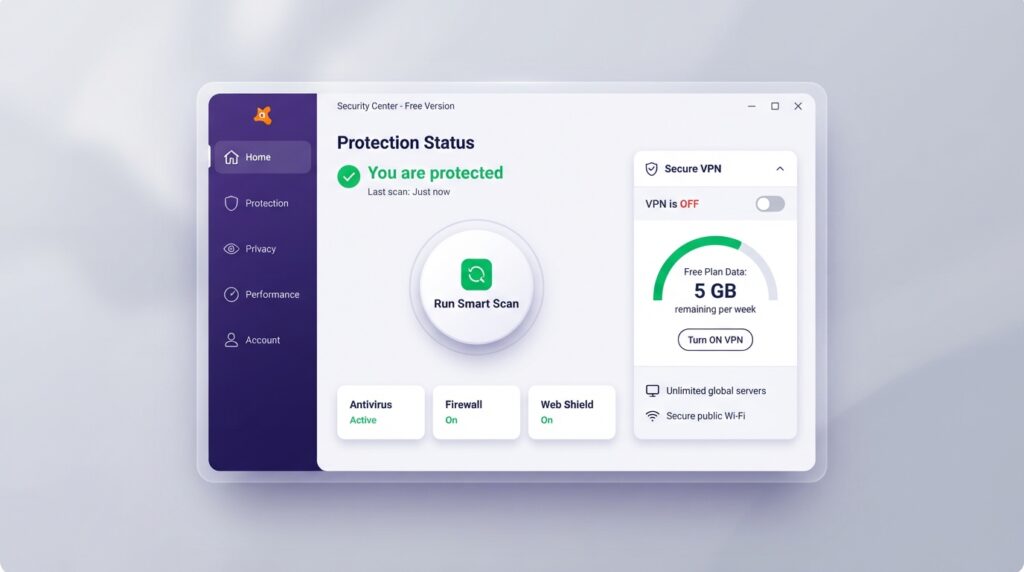
- Free VPN with 5 GB/week data limit
- Free cleanup and performance tools
- Ransomware protection (limited)
- 1 device only
- Ads and upgrade prompts
Technical and Service Details
| Attribute | Details | Source | Checked Date |
|---|---|---|---|
| Protection scores | Top marks in AV-Test, low false positives | Avast official | Feb 2026 |
| VPN data | 5 GB/week free | Avast official | Feb 2026 |
| System impact | Moderate | AV-Comparatives | Feb 2026 |
| Data collection | Historically shared data through Jumpshot; policy changed | Avast privacy page | Feb 2026 |
| Parental controls | Not in free version | Avast official | Feb 2026 |
Evidence Note: Claim: Avast One Essential provides reliable free protection with a limited VPN. Source: Avast official product page, AV-Test. Confidence: High. Limitation: Free VPN data cap and ad-supported experience.
Real-World Use-Case Analysis
For a college student with one laptop, Avast One Essential is a practical choice. It blocks most malware and phishing sites, and the 5 GB/week VPN is enough for occasional public Wi-Fi use. You will see upgrade prompts, but you can dismiss them. If you later need protection for multiple devices or want to remove ads, upgrading to Avast One Individual is straightforward. Just be aware of Avast’s past privacy practices—if privacy is a dealbreaker, consider Bitdefender Antivirus Free (if available) or Microsoft Defender instead.
Setup and Usability
Installation is quick and simple, with no account required for the free version. The interface is modern and colorful, with a status dashboard, scan button, and VPN toggle. Ads appear in the corner of the interface and occasionally as pop-ups, but they are not intrusive. The cleanup tools are basic but useful for freeing disk space. Overall, it’s one of the most polished free antivirus experiences.
Customer Support
Free users have limited support—access to the knowledge base and community forum. Paid users get live chat. Response times are average. Many issues are resolved through the extensive self-help articles. The company has improved transparency since the Jumpshot incident, but some users remain wary.
Pros and Cons
Pros:
- Completely free with strong core protection
- Includes a free VPN and cleanup tools
- Easy to install and use
Cons:
- Ads and upgrade prompts
- Free VPN data cap
- Past privacy controversies may concern some users
- Only one device
Price and Value
- Avast One Essential: Free
- Avast One Individual (5 devices): $69.99 first year, renews around $99.99/year
The free version is genuinely useful, but Avast has faced past privacy controversies (data collection through subsidiary Jumpshot). The company has since changed policies, but privacy-conscious users may still prefer open-source or paid alternatives with clearer data practices.
Alternatives: Bitdefender Antivirus Free (if still available), Microsoft Defender built into Windows.
Final Verdict: Avast One Essential is the best free antivirus in 2026. Use it if you can’t pay, but understand you are the product.
Best for Mac: Intego Mac Internet Security X9
Quick Verdict: Best dedicated Mac antivirus software with Mac-specific malware detection and low system impact.
Best For: Mac users who want protection against Mac-specific threats (adware, keyloggers, trojans) and a simple interface.
Who Should Avoid It: Windows users or mixed-device households needing cross-platform coverage. Also, Mac users who only install apps from the App Store and avoid risky downloads may not need a third-party antivirus.
Key Features
- Real-time Mac malware protection
- Mac-specific threat database (not just Windows signatures)
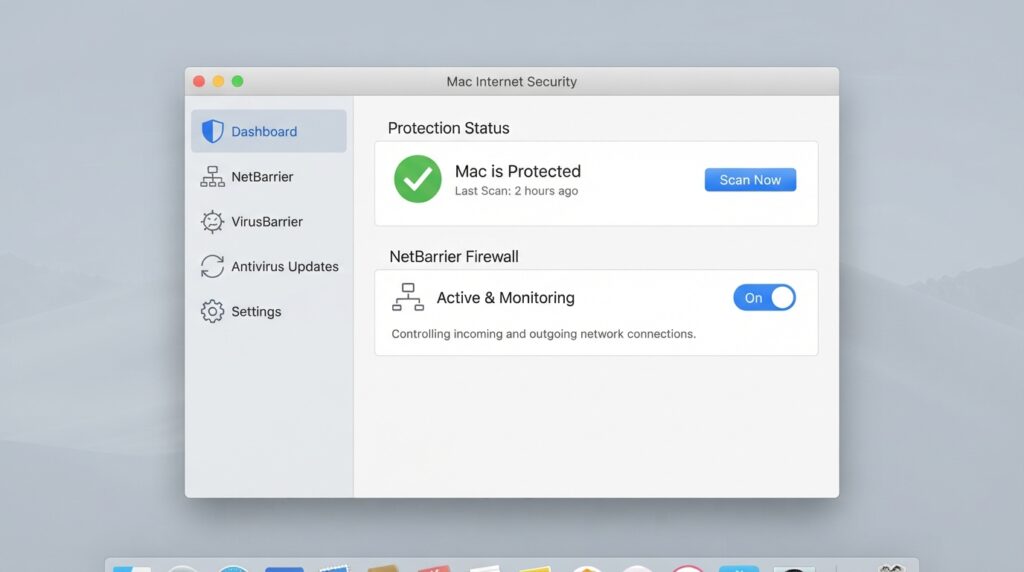
- NetBarrier firewall (included in X9 bundle)
- Anti-phishing web protection
- 1–3 Macs depending on plan
- No Windows or mobile coverage
Technical and Service Details
| Attribute | Details | Source | Checked Date |
|---|---|---|---|
| Mac malware detection | Strong detection of Mac adware, trojans, keyloggers | Intego official | Feb 2026 |
| Firewall | NetBarrier outbound connection monitoring | Intego official | Feb 2026 |
| System impact | Minimal, runs quietly | AV-Comparatives Mac tests | Feb 2026 |
| Cross-platform | Mac only | Intego official | Feb 2026 |
| Independent testing | Less frequent than Windows testing | AV-Comparatives | Feb 2026 |
Evidence Note: Claim: Intego provides strong Mac-specific malware detection. Source: Intego official documentation, AV-Comparatives Mac tests. Confidence: Medium-High. Limitation: Independent Mac testing is less frequent than Windows testing.
Real-World Use-Case Analysis
If you’re a Mac user who downloads apps from outside the App Store, uses browser extensions, or handles client work on your MacBook, Intego X9 is a solid choice. It catches Mac-specific adware like Genieo and VSearch that Windows-centric suites often miss. The NetBarrier firewall is particularly useful for monitoring outbound connections—useful if you suspect a suspicious app is phoning home. It’s not needed if you only install from the App Store and never click unknown links.
Setup and Usability
Intego installs like a typical Mac app—drag to Applications. The interface follows Apple design guidelines: clean, minimal, with a left sidebar for scanning, firewall, and settings. Scans are fast and unobtrusive. The NetBarrier firewall asks permission when new apps try to connect, which can be slightly noisy initially but gives excellent control. No account is required for basic use.
Customer Support
Intego offers email and chat support during business hours. The company is smaller than competitors, so phone support is limited. The knowledge base covers common issues well. User feedback on support is positive, with knowledgeable agents and quick resolution.
Pros and Cons
Pros:
- Purpose-built for Mac malware
- Low system impact
- Includes useful outbound firewall
- Clean, Mac-style interface
Cons:
- Mac-only, no Windows/mobile coverage
- More expensive per device than cross-platform suites
- Fewer independent tests than Windows products
Price and Value
- Intego Mac Internet Security X9 (1 Mac): $39.99/year
- Intego Mac Premium Bundle X9 (3 Macs + VPN): $69.99/year
Pricing is reasonable for Mac-only households. If you need cross-platform protection, Bitdefender or Norton may be better value.
Alternatives: Malwarebytes for Mac, Bitdefender Antivirus for Mac.
Final Verdict: If you’re a Mac user who wants dedicated Mac protection, Intego is the best choice in 2026.
Best Privacy Bundle: Surfshark Antivirus
Quick Verdict: Best for privacy-focused users who want antivirus plus an unlimited no-logs VPN in one subscription.
Best For: Travelers, remote workers, and anyone who frequently uses public Wi-Fi and wants both malware protection and VPN privacy.
Who Should Avoid It: Users who need parental controls, identity theft protection, or a full firewall suite. Surfshark Antivirus software is lighter on traditional suite features.
Key Features
- Real-time malware and phishing protection
- Unlimited Surfshark VPN with no-logs policy (independently audited)
- Webcam protection
- Data breach alerts
- 5 devices
- No parental controls or backup
Technical and Service Details
| Attribute | Details | Source | Checked Date |
|---|---|---|---|
| VPN | Unlimited, no-logs, independently audited | Surfshark official | Feb 2026 |
| Antivirus engine | Uses Avira engine under the hood | Surfshark official | Feb 2026 |
| Webcam protection | Included | Surfshark official | Feb 2026 |
| Parental controls | Not included | Surfshark official | Feb 2026 |
| Devices | 5 | Surfshark official | Feb 2026 |
Evidence Note: Claim: Surfshark Antivirus includes an independently audited no-logs VPN and a reliable antivirus engine. Source: Surfshark official page, independent audit reports. Confidence: High. Limitation: Antivirus engine is third-party (Avira), not developed in-house.
Real-World Use-Case Analysis
If you travel frequently and connect to hotel or airport Wi-Fi, Surfshark One solves two problems at once. The VPN encrypts your traffic, and the antivirus blocks malicious downloads and phishing pages. You can install it on up to five devices. The no-logs VPN is a standout feature if privacy is your main concern. However, if you need parental controls or cloud backup, you’ll still need a separate suite.
Setup and Usability
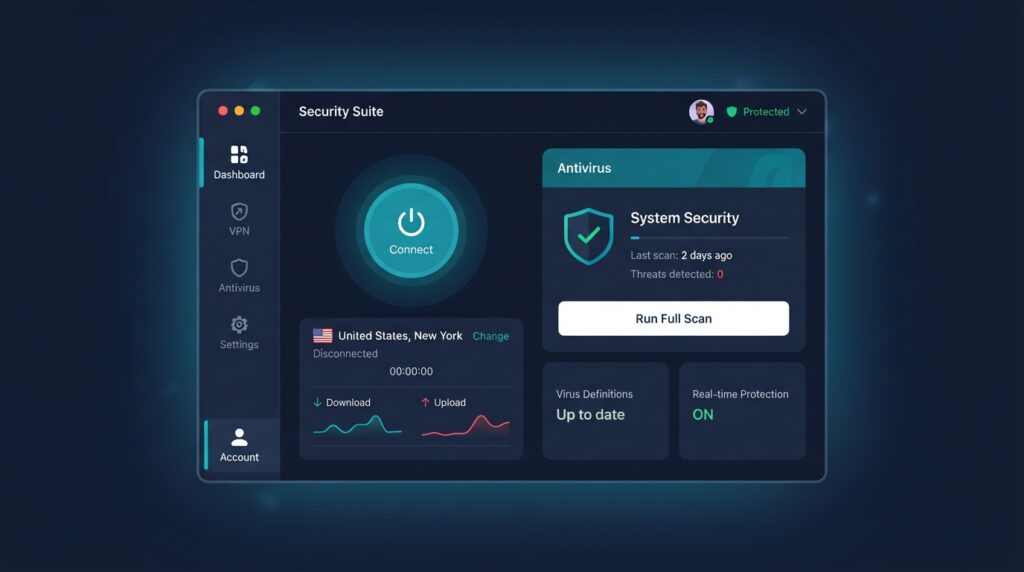
Surfshark’s app is clean and modern, with a one-click VPN connect button and a virus scan tab. Installation is quick on Windows, Mac, Android, and iOS. The antivirus features are basic but effective—real-time scanning and on-demand scans. The VPN is the main event: it connects quickly, offers many server locations, and has strong leak protection. No account fatigue because it uses the same login for VPN and antivirus.
Customer Support
Surfshark offers 24/7 live chat and email support. The support team is responsive and helpful, especially with VPN configuration issues. The knowledge base is well-organized, and the independent audit reports are easy to find. User feedback is very positive on support quality.
Pros and Cons
Pros:
- Excellent unlimited VPN included
- Independently audited no-logs policy
- Affordable first-year price
- 5 devices covered
Cons:
- No parental controls or identity protection
- Antivirus engine is third-party, not proprietary
- Renewal price more than doubles
Price and Value
- Surfshark One (5 devices): $41.88 first year, renews at around $79.00/year
- Surfshark One+ (unlimited devices): $59.88 first year
The first-year price is excellent for what you get. Renewal is more than double, but still cheaper than buying antivirus and VPN separately.
Alternatives: Norton 360 Deluxe if you need identity protection; Bitdefender Total Security if you want more suite features.
Final Verdict: Surfshark Antivirus is the smart choice in 2026 if privacy and VPN use are top priorities.
Best Lightweight for Gaming: ESET NOD32 Antivirus
Quick Verdict: Best for gamers and performance-sensitive users who want strong protection without noticeable system slowdown.
Best For: PC gamers, video editors, and users with older or resource-constrained systems.
Who Should Avoid It: Users who want a full security suite with firewall, parental controls, and VPN. NOD32 is an antivirus only, not a full suite. You’ll need ESET Smart Security Premium for those extras.
Key Features
- Real-time malware and ransomware protection
- Exploit blocker
- UEFI scanner
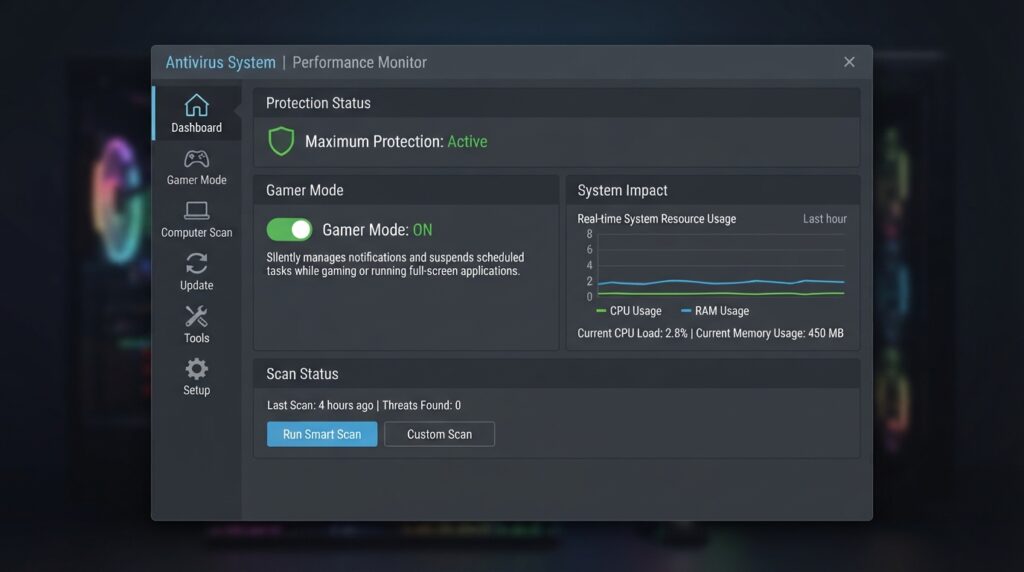
- Gamer mode that suppresses pop-ups
- 1 device
- Very low system footprint
Technical and Service Details
| Attribute | Details | Source | Checked Date |
|---|---|---|---|
| System impact | Among the lowest, often under 1% overhead | AV-Comparatives | Feb 2026 |
| Gamer mode | Suppresses pop-ups during full-screen apps | ESET official | Feb 2026 |
| Firewall | Not included in NOD32 | ESET official | Feb 2026 |
| Ransomware protection | Included, with behavior monitoring | ESET official | Feb 2026 |
| Devices | 1 | ESET official | Feb 2026 |
Evidence Note: Claim: ESET NOD32 has very low system impact and strong protection. Source: ESET official documentation, AV-Comparatives performance tests. Confidence: High. Limitation: Antivirus only; no firewall or VPN included.
Real-World Use-Case Analysis
If you’re a competitive gamer playing titles like Valorant or Cyberpunk 2077, the last thing you want is an antivirus pop-up or background scan causing frame drops. ESET NOD32’s gamer mode automatically pauses notifications and scheduled scans when a full-screen app is running. You can leave it running while gaming without noticing it. For a single gaming PC, this is ideal. If you have multiple devices, you’ll need a different plan or ESET Smart Security Premium.
Setup and Usability
ESET’s installer is small and fast, with an option for a custom install to skip unnecessary components. The interface is dense but logical, with a clear protection status and scan options. Gamer mode is a toggle in settings. Advanced users will appreciate the detailed configuration options, but beginners might find it intimidating. No account is required for installation, which is a privacy plus.
Customer Support
ESET offers phone, chat, and email support with good response times. The knowledge base is technical but helpful. User feedback on support is generally positive, with fewer upsells than competitors. The company has a strong reputation for reliability.
Pros and Cons
Pros:
- Extremely low system impact
- Reliable protection scores
- Gamer mode is genuinely useful
- Transparent, stable pricing
Cons:
- No firewall, VPN, or parental controls
- Only one device
- Protection sometimes slightly below Bitdefender in zero-day tests
Price and Value
- ESET NOD32 Antivirus (1 device): $39.99/year
- ESET Smart Security Premium (1 device): $59.99/year
No aggressive first-year discount, but pricing is stable and transparent. For a single gaming PC, NOD32 is ideal.
Alternatives: Malwarebytes Premium for cleanup, Bitdefender Total Security if you need multiple devices.
Final Verdict: If you’re a PC gamer who wants antivirus that never gets in the way, ESET NOD32 is the best choice in 2026.
Best for Unlimited Devices: McAfee Total Protection
Quick Verdict: Best for large families or multi-device households that need coverage on unlimited devices for one price.
Best For: Families with many devices (phones, tablets, laptops), parents who need parental controls, and users who want a simple all-in-one plan.
Who Should Avoid It: Users who dislike bundled software, upsells, or past McAfee pop-up annoyances. McAfee can be heavy on older PCs. Also, privacy-conscious users may find its data practices less transparent.
Key Features
- Real-time malware, ransomware, and phishing protection
- Unlimited devices (family plan)
- Parental controls with app blocking and screen time
- VPN (limited data on basic plans)
- Password manager
- Identity monitoring (on higher tiers)
- File shredder and encrypted storage
Technical and Service Details
| Attribute | Details | Source | Checked Date |
|---|---|---|---|
| Device coverage | Unlimited devices on family plan | McAfee official | Feb 2026 |
| Parental controls | Comprehensive app blocking and screen time | McAfee official | Feb 2026 |
| System impact | Higher than ESET/Bitdefender | AV-Comparatives | Feb 2026 |
| VPN data | Limited on lower plans; unlimited on higher | McAfee official | Feb 2026 |
| Identity monitoring | Included on higher tiers | McAfee official | Feb 2026 |
Evidence Note: Claim: McAfee Total Protection offers unlimited device coverage and strong parental controls. Source: McAfee official product page, AV-Test. Confidence: Medium-High. Limitation: VPN data limit on lower plans; renewal price can be high.
Real-World Use-Case Analysis
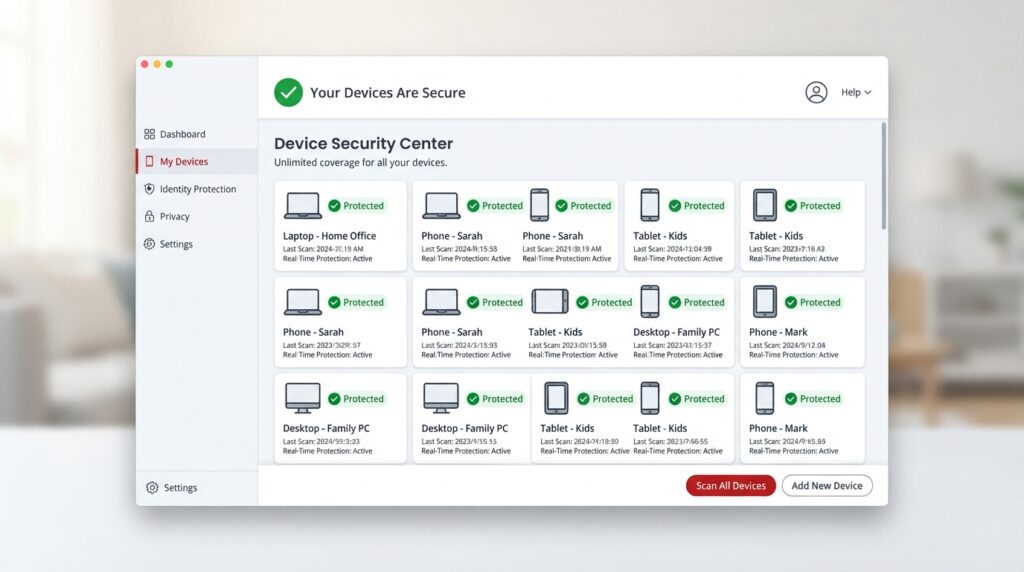
A household with four phones, three laptops, two tablets, and a desktop would need multiple licenses from most vendors. McAfee Total Protection covers all of them under one unlimited plan. The parental controls are among the best for managing kids’ screen time and app usage. The tradeoff is that McAfee tends to install additional utilities and show upsells, and it can slow older PCs during scans. If you have a large family and want one simple plan, it’s hard to beat the value.
Setup and Usability
McAfee installation can be slower due to multiple components. The interface is bright and consumer-friendly, with large icons for each feature. However, it frequently shows promotional pop-ups and offers for additional services, which many users find annoying. The parental controls are easy to configure from the web dashboard. Performance impact is noticeable on older machines, so it’s best for newer hardware.
Customer Support
McAfee offers 24/7 phone and chat support. Response times are decent, but agents often try to upsell. The knowledge base is comprehensive, and community forums are active. User feedback on support is mixed—helpful for technical issues but pushy on sales.
Pros and Cons
Pros:
- Unlimited device coverage
- Strong parental controls
- Good first-year price
- Includes password manager and VPN
Cons:
- Higher system impact
- Aggressive upsells and pop-ups
- Renewal price is steep
- Privacy practices less transparent
Price and Value
- McAfee Total Protection (unlimited devices): $39.99 first year, renews around $119.99/year
- McAfee+ Premium (unlimited devices): $49.99 first year
The unlimited device plan is excellent value for families with 10+ devices. Renewal is steep, so cancel or negotiate before renewal.
Alternatives: Norton 360 Premium for identity protection, Bitdefender Family Pack for parental controls.
Final Verdict: McAfee Total Protection is the best choice in 2026 if you need to protect unlimited devices without buying multiple licenses.
Buying Guide: How to Choose Antivirus Software in 2026
What Matters Most
- Protection effectiveness — Look for independent lab scores from AV-Test, AV-Comparatives, and SE Labs. Don’t rely on marketing claims.
- System impact — A heavy antivirus can make your PC feel slow. Check performance tests.
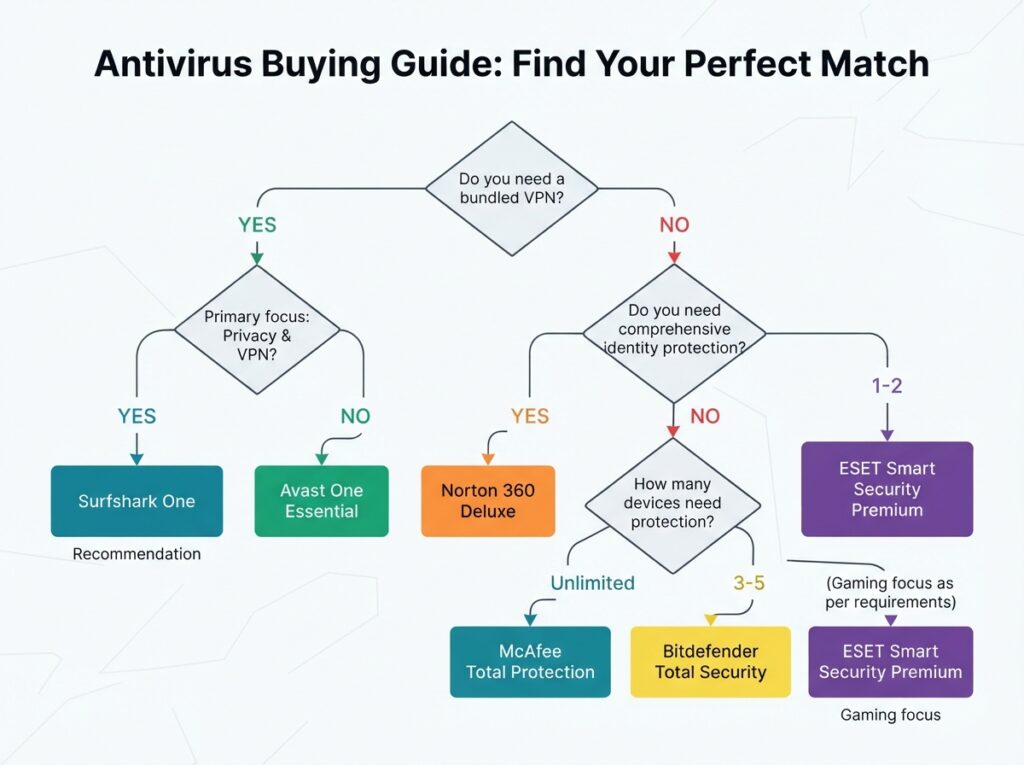
- Feature fit — Do you need a VPN? Password manager? Parental controls? Identity protection? Don’t pay for features you won’t use.
- Price and renewal cost — First-year discounts are common, but renewal prices often double. Always check the second-year price.
- Device coverage — Count every device you need to protect. Family plans with unlimited devices can save money.
- Privacy policy — Some antivirus vendors collect and share user data. Read the privacy policy before installing.
What Matters Less
- Brand name recognition — Top brands don’t always have the best protection.
- Extra tools you won’t use — A bundled password manager is nice, but only if you actually switch to it.
- Marketing hype about AI — Most modern antivirus uses machine learning; it’s table stakes, not a differentiator.
Free vs Paid Antivirus in 2026
Free antivirus is enough if:
- You only browse mainstream sites and avoid risky downloads.
- You use Windows Defender or Avast One Essential.
- You don’t need a VPN, parental controls, or identity protection.
- You’re willing to see ads and upgrade prompts.
Paid antivirus is worth it if:
- You handle sensitive data (banking, work, health).
- You have children or less tech-savvy family members.
- You want ransomware rollback, firewall, and advanced web protection.
- You need multi-device coverage.
- You want a VPN included.
Decision: If your only device is a personal PC and you practice safe browsing, free may be enough. For families or mixed devices, paid is strongly recommended. For a deeper breakdown, see our free vs paid antivirus guide.
Platform-Specific Guidance
- Windows 11: Built-in Microsoft Defender has improved dramatically, but a third-party suite still offers better ransomware rollback and web protection. Use best antivirus for Windows 11.
- macOS: Macs are less targeted but not immune. Intego or Malwarebytes for Mac are good choices if you download apps outside the App Store. See our best antivirus for Mac.
- Android: Google Play Protect is basic. Use Bitdefender Mobile Security or Malwarebytes for Android for better phishing protection.
- iOS: iOS is highly locked down, but phishing protection and VPN are still valuable. Most suites include iOS apps.
Common Mistakes to Avoid
- Paying for renewal without checking the price — many vendors auto-renew at double the first-year cost. Cancel and re-buy or negotiate.
- Buying a suite with features you already have — if you use 1Password, you don’t need a bundled password manager.
- Ignoring multi-device plans — buying separate licenses for each device is usually more expensive.
- Thinking Macs don’t need antivirus — adware and trojans targeting Macs are increasing.
- Using multiple antivirus programs at once — they conflict and slow your PC. Use one real-time scanner.
- Relying only on free antivirus for a family — kids and less tech-savvy users need parental controls and stronger web filtering.
Long-Term Cost Analysis
Most antivirus vendors use a first-year discount model. Here’s a three-year cost comparison for the products in this review, assuming standard renewal rates.
| Product | Year 1 | Year 2 | Year 3 | 3-Year Total |
|---|---|---|---|---|
| Bitdefender Total Security (5 devices) | $39.98 | $89.99 | $89.99 | $219.96 |
| Norton 360 Deluxe (5 devices) | $49.99 | $119.99 | $119.99 | $289.97 |
| Malwarebytes Premium (1 device) | $44.99 | $44.99 | $44.99 | $134.97 |
| Surfshark One (5 devices) | $41.88 | $79.00 | $79.00 | $199.88 |
| ESET NOD32 (1 device) | $39.99 | $39.99 | $39.99 | $119.97 |
| McAfee Total Protection (unlimited) | $39.99 | $119.99 | $119.99 | $279.97 |
| Intego Mac Internet Security X9 (1 Mac) | $39.99 | $39.99 | $39.99 | $119.97 |
| Avast One Essential (free) | $0 | $0 | $0 | $0 |
Key insight: ESET and Malwarebytes offer the most predictable long-term pricing. Bitdefender and Norton are cheap initially but cost more over time. If you plan to keep the same suite for three years, factor in the renewal rate, not just the first-year discount. Many users switch between first-year offers to save money—this works but requires reinstalling each year.
Small Business Antivirus in 2026
For small businesses with 5–50 employees, consumer antivirus may not be enough. You need centralized management, endpoint detection and response (EDR), and compliance reporting. Products like Bitdefender GravityZone, Norton Small Business, and Malwarebytes Endpoint Protection offer these features. Pricing is typically per device per year, starting around $30–$50. If you’re a sole proprietor with a laptop and phone, consumer suites like Bitdefender Total Security or Norton 360 are still appropriate. For detailed guidance, see our planned guide on the best antivirus software for small business.
Antivirus software vs Internet Security vs Total Security: What’s the Difference?
Many vendors offer tiered products with confusing names. Here’s what they typically mean:
- Antivirus (or Essential): Core malware protection only. No firewall, VPN, or parental controls. Example: ESET NOD32.
- Internet Security: Adds firewall, web protection, email scanning, and sometimes parental controls. Good for most users.
- Total Security / Premium: Adds VPN, password manager, backup, identity protection, and mobile apps. Best for families and multi-device homes.
The naming varies by vendor. Bitdefender’s “Total Security” is actually a full suite, while McAfee’s “Total Protection” is also a suite. Always check the feature list rather than relying on the product name. If you only need malware protection, a basic antivirus is cheaper and lighter. If you want a full security stack, opt for the top tier.
Frequently Asked Questions
Is Windows Defender enough in 2026?
For basic, careful users, yes. Microsoft Defender has improved significantly and is built into Windows 11. However, independent tests show that top third-party suites like Bitdefender and Norton still offer better zero-day detection, ransomware rollback, and web protection. If you handle sensitive data or have family members who click suspicious links, a paid suite is worth it.
Is free antivirus software safe?
Free antivirus from reputable companies (Avast, Bitdefender, AVG) is safe to use and provides basic protection. The “cost” is usually ads, data collection, and limited features. Avoid unknown free antivirus programs, which may be malware themselves. For more, read free vs paid antivirus.
Do Macs need antivirus in 2026?
Macs are generally safer than Windows PCs, but they are not immune. Mac-specific adware, trojans, and phishing attacks are rising. If you download apps outside the Mac App Store or use your Mac for work, a lightweight Mac antivirus like Intego or Malwarebytes for Mac is a good idea. See best antivirus for Mac.
What is the best antivirus for gaming?
ESET NOD32 and Bitdefender Total Security with game mode enabled are the best choices. Both have very low system impact. Malwarebytes Premium is also lightweight. Avoid heavy suites like McAfee if you have an older gaming PC. Check the best lightweight antivirus for gaming.
Does antivirus slow down my PC?
All antivirus software uses some system resources, but the best modern suites add only a small overhead (1–5%). Independent performance tests show ESET, Bitdefender, and Malwarebytes have the lowest impact. McAfee and Norton tend to be heavier, especially during full scans.
What happened to Kaspersky in the US?
Kaspersky’s US operations were restricted due to national security concerns, and the company is no longer allowed to sell or update software in the United States. We do not recommend or include Kaspersky in this list for US readers. For more information, see official US government announcements. Antivirus privacy and data security covers this in detail.
Can I use a VPN instead of antivirus?
No. A VPN encrypts your internet traffic but does not detect or remove malware. They serve different purposes. Some products bundle both, like Surfshark Antivirus and Norton 360 Deluxe.
What is ransomware rollback?
Ransomware rollback is a feature that automatically creates backups of your files and restores them if a ransomware attack encrypts them. Bitdefender and Norton include this feature. It is one of the main reasons to choose a paid suite over free antivirus.
How many devices should an antivirus plan cover?
Count every device that connects to the internet: laptops, desktops, phones, tablets. A family of four often has 8–12 devices. If you have many devices, a plan with unlimited coverage like McAfee Total Protection can save money.
When should I replace my current antivirus?
Replace your antivirus if it consistently scores poorly in independent lab tests, causes noticeable slowdowns, lacks modern features like ransomware protection, or if the vendor has a serious privacy or security scandal. Review your choice at least once a year.
Does antivirus protect against phishing?
Most modern antivirus suites include web protection that blocks known phishing sites and warns about suspicious links. Some also scan emails for phishing attempts. However, no antivirus can catch every phishing email—user awareness is still the last line of defense.
What is a false positive?
A false positive occurs when antivirus software mistakenly identifies a safe file or program as malware. This can happen with custom software, game mods, or developer tools. Top antivirus products have low false-positive rates, but if you encounter one, you can usually whitelist the file or report it to the vendor.
How do I renew at a discount?
Most antivirus vendors offer first-year discounts that disappear at renewal. To keep a lower price: cancel auto-renewal before the renewal date, then re-purchase a new license (often at the first-year rate) or contact support and ask for a retention discount. Some users switch between vendors each year to always pay the introductory price.
Troubleshooting Common Antivirus Issues
Antivirus blocks a safe program
If you’re certain a program is safe, add it to the antivirus exclusion list. In most products, you can right-click the file or go to Settings > Exclusions. Be careful not to exclude entire folders unless necessary, as this creates a security gap.
Antivirus slows down my PC
Try disabling non-essential features like VPN, file shredder, or cleanup tools. Schedule full scans for off-hours. If performance remains poor, consider switching to a lighter product like ESET NOD32 or Malwarebytes.
Can’t uninstall antivirus
Some antivirus products include a dedicated removal tool. Download the official uninstaller from the vendor’s website, boot into Safe Mode if needed, and run it. This removes leftover files and registry entries.
VPN won’t connect
Check your internet connection, try a different server location, or disable the antivirus firewall temporarily to test. If the issue persists, contact vendor support—VPN problems are usually server-side.
Final Verdict
The best antivirus software in 2026 depends on your specific needs:
- Choose Bitdefender Total Security if you want the best overall protection, low system impact, and broad device coverage for a reasonable price.
- Choose Norton 360 Deluxe if identity theft protection and a full privacy bundle are priorities.
- Choose Malwarebytes Premium if your PC is already infected or you want a lightweight cleanup tool.
- Choose Avast One Essential if you need free protection and can tolerate ads.
- Choose Intego Mac Internet Security X9 if you’re a Mac user who wants Mac-specific protection.
- Choose Surfshark Antivirus if you want antivirus plus an unlimited, audited no-logs VPN.
- Choose ESET NOD32 if you’re a gamer or performance-sensitive user.
- Choose McAfee Total Protection if you need unlimited device coverage for a large family.
For most readers, Bitdefender Total Security is the safest all-round pick. It consistently earns top marks from independent labs, has low system impact, and offers excellent first-year value. Just remember to check the renewal price and cancel before it auto-renews.
Methodology and Disclosure
Review Authenticity Label: Spec-Based Editorial Review with Verified User Feedback Analysis. We did not perform hands-on malware testing. Protection and performance conclusions are based on official specifications and independent lab reports from AV-Test, AV-Comparatives, and SE Labs. User feedback patterns were reviewed from verified retailer reviews and public forums where available.
How We Selected Products: We focused on commercially available antivirus products in the US market that have current independent lab participation and active user bases. We excluded Kaspersky due to US regulatory restrictions. We did not accept payment for inclusion. Some links are affiliate links; if you purchase through them, we may earn a commission at no extra cost to you. This does not influence our rankings.
Pricing Checked: Early 2026 on official vendor websites. Prices are first-year introductory offers and may change without notice. Always verify current pricing before purchase.
