

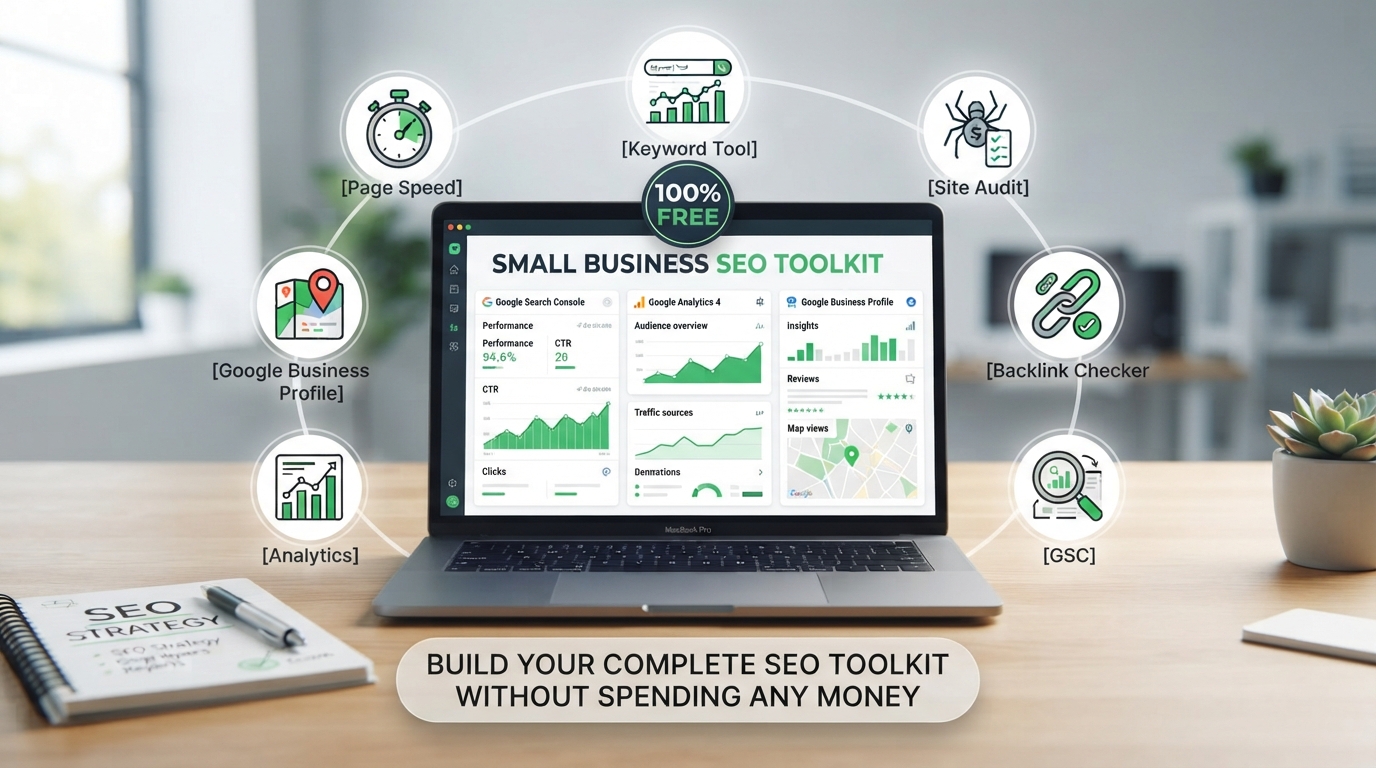
Here’s something most SEO tool companies don’t want you to know: you can make significant progress on your search rankings without spending a single dollar. Before you invest in any paid AI SEO tools for small businesses, there are seven completely free tools that should form the foundation of your SEO strategy.
These free SEO tools for small business owners aren’t limited trial versions or stripped-down freemium products. They’re full-featured platforms built by Google, Microsoft, and other major companies that want you to succeed—because when your website is well-optimized, their search engines work better for everyone.
In this guide, we’ll walk through all seven free SEO tools for small business use, with exact setup instructions and what to do with each one. By the time you finish reading, you’ll have a complete free SEO toolkit ready to go. And when you’re ready to upgrade to paid tools that offer deeper data and AI-powered insights, our guide to the best AI SEO tools for small businesses will help you choose the right ones for your budget.
Table of Contents
- Why Start With Free SEO Tools for Small Business?
- Tool 1: Google Search Console — Your Essential Free SEO Command Center
- Tool 2: Google Analytics 4 — Understand Your Traffic
- Tool 3: Google Business Profile — Free Local Visibility
- Tool 4: Bing Webmaster Tools — The Overlooked Free Resource
- Tool 5: Google Trends — Free Content and Keyword Inspiration
- Tool 6: PageSpeed Insights — Free Technical Performance Data
- Tool 7: AnswerThePublic — Free Question-Based Content Ideas
- Complete Free SEO Tools Setup Checklist
- When to Upgrade From Free SEO Tools to Paid AI Tools
- Final Verdict: Your Free SEO Stack
Why Start With Free SEO Tools for Small Business?
Many small business owners make the mistake of buying expensive SEO tools before they’ve set up the free basics. It’s like buying a professional camera before learning how to take photos with your phone. The free SEO tools for small business owners that we cover in this guide handle the foundational tasks that every website needs: monitoring how Google sees your site, understanding your traffic, managing your local presence, finding content ideas, and checking technical performance.
These free tools also give you the data you need to make smart decisions about which paid tools to buy later. After using Google Search Console for two months, you’ll know exactly which keywords to track, which pages need optimization, and which technical issues need fixing. That knowledge prevents you from wasting money on paid tools that solve problems you don’t actually have.
Before diving into each tool, it’s worth understanding how these free options fit into your overall strategy. Our complete small business SEO guide explains the fundamentals, and when you’re ready to explore paid options, our AI SEO tools comparison covers the best choices for every budget.
Tool 1: Google Search Console — Your Essential Free SEO Command Center
If you only set up one free SEO tool for your small business, make it Google Search Console. This is quite simply the most important free SEO tool in existence. Google built it specifically to help website owners understand how their site performs in Google Search, and it provides data you cannot get anywhere else.
What Google Search Console Shows You
Search queries bringing visitors to your site. You’ll see the exact search terms people type into Google before clicking on your pages. This is real data from real searches, not estimates from third-party tools. You’ll discover keywords you rank for that you never intentionally targeted—often valuable opportunities for new content.
Which pages Google has indexed. If Google hasn’t indexed a page, it cannot appear in search results. Search Console shows you exactly which pages are indexed, which have been excluded, and why. You can also submit new pages directly for indexing.
Technical issues on your site. Search Console alerts you to problems like mobile usability issues, pages that don’t load properly, structured data errors, and security concerns. These are issues that directly impact your rankings, and Search Console identifies them for free.
Your average position for keywords. While not as detailed as paid rank tracking tools, Search Console shows your average position for every query you rank for. This helps you track progress over time and identify which pages are gaining or losing visibility.
Backlinks to your site. Search Console shows which external websites link to yours—one of Google’s most important ranking signals. You can see which pages attract the most links and which websites are sending traffic your way.
How to Set Up Google Search Console
- Go to Google Search Console
- Click “Add Property” and enter your website URL
- Verify ownership (usually by adding a small HTML tag to your site, through your domain provider, or via Google Analytics)
- Submit your XML sitemap (usually at yourdomain.com/sitemap.xml)
- Wait 24-48 hours for data to start appearing
Pro tip: Connect Search Console to Google Analytics. This lets you see search query data alongside visitor behavior data, giving you a complete picture of how organic search contributes to your business goals.
Tool 2: Google Analytics 4 — Understand Your Traffic
While Google Search Console shows you what happens on Google, Google Analytics shows you what happens on your website. Together, these two free SEO tools for small business owners provide a complete view of your search performance.
What Google Analytics 4 Shows You
How many visitors arrive from organic search. You’ll see exactly how much traffic Google sends to your site, which pages receive that traffic, and what those visitors do after arriving.
Visitor behavior and engagement. How long do visitors stay on your pages? Do they visit multiple pages or leave immediately? Do they fill out your contact form or make a purchase? Analytics connects SEO traffic to actual business outcomes.
Which content performs best. You’ll identify which pages keep visitors engaged and which ones cause them to leave. This helps you prioritize which content to improve and which topics to expand.
Conversion tracking. Set up “conversion events” for important actions like form submissions, phone calls, purchases, or newsletter signups. Then you can see exactly how much of your organic search traffic converts into customers.
Audience demographics and technology. Understand what devices your visitors use, where they’re located, and basic demographic information. This helps you optimize your site for your actual audience.
How to Set Up Google Analytics 4
- Go to Google Analytics
- Create an account and property for your website
- Add the tracking code to your website (directly in your site’s HTML, through your CMS, or via Google Tag Manager)
- Set up conversion events for your key business actions
- Connect to Google Search Console for integrated data
Tool 3: Google Business Profile — Free Local Visibility
If your small business serves customers in a specific geographic area, Google Business Profile is arguably the most valuable free SEO tool for small business owners on this list. It directly impacts whether you appear in Google Maps, the local pack (the three businesses shown for local searches), and your overall local visibility.
What Google Business Profile Does
Your Business Profile appears when someone searches for your business name or finds you through local searches like “plumber near me” or “best coffee shop in Austin.” A complete profile includes your address, phone number, website, hours, services, photos, customer reviews, and the ability for customers to message you directly.
Businesses with complete, active profiles consistently outrank those with incomplete or neglected profiles. Google wants to recommend businesses that provide accurate, helpful information to searchers. Our local SEO guide for small businesses covers the complete optimization process.
How to Set Up Google Business Profile
- Go to Google Business Profile
- Claim your business or create a new listing
- Verify your business (usually by postcard, phone, or email)
- Complete every section: hours, services, photos, description, attributes
- Add new photos weekly and respond to all reviews
Tool 4: Bing Webmaster Tools — The Overlooked Free Resource
Google dominates search, but Bing still handles approximately 8-10% of US searches. That might sound small, but for a small business getting 1,000 organic visitors per month, Bing could be sending you 80-100 additional visitors—for free. Bing Webmaster Tools is the Microsoft equivalent of Google Search Console, and it takes about 10 minutes to set up.
What Bing Webmaster Tools Provides
- Search performance data for Bing search results
- Site audit tools that identify technical SEO issues
- Backlink data showing who links to your site
- Keyword research tools with search volume data
- URL submission for faster indexing in Bing
You can even import your site information directly from Google Search Console to save time during setup. Go to Bing Webmaster Tools, sign in, add your site, and choose the Google Search Console import option.
Tool 5: Google Trends — Free Content and Keyword Inspiration
Google Trends is one of the most underutilized free SEO tools for small business content planning. It shows you what people are searching for right now, how search interest changes over time, and which topics are rising or falling in popularity.
How Small Businesses Use Google Trends for SEO
Compare keywords. Not sure whether to target “emergency plumber” or “24 hour plumber”? Google Trends shows you which term gets more searches in your area and how those patterns change throughout the year.
Identify seasonal trends. A landscaping company can see exactly when searches for “lawn care” spike in their region and plan content accordingly. A tax preparation service can anticipate the January-April search surge.
Find rising topics. The “Trending searches” and “Year in Search” features show you what’s gaining attention in your industry. Creating content about rising topics before your competitors do gives you a head start in rankings.
Plan local content. Filter by your geographic area to see what people in your city or region are searching for. This helps you create content that resonates specifically with your local audience.
Go to Google Trends and start exploring. There’s no account setup required—just type in a topic and start discovering insights.
Tool 6: PageSpeed Insights — Free Technical Performance Data
Page speed is a confirmed Google ranking factor, and it directly impacts user experience. Visitors abandon sites that take more than three seconds to load. PageSpeed Insights analyzes any page on your site and gives you specific, actionable recommendations for improving load times.
What PageSpeed Insights Shows
- Overall performance score (0-100) for both mobile and desktop
- Core Web Vitals assessment (Google’s key performance metrics)
- Specific recommendations like “compress images” or “reduce JavaScript”
- Estimated time savings for each improvement
- Real-user performance data from Chrome users
Go to PageSpeed Insights, enter your URL, and get your report in seconds. Focus on the recommendations marked as high priority first—these have the biggest impact on performance. For more technical SEO guidance, our small business SEO guide covers the technical foundation every site needs.
Tool 7: AnswerThePublic — Free Question-Based Content Ideas
AnswerThePublic takes a keyword and shows you every question people ask about that topic, organized by question type (what, why, how, where, when, can, are). The free version gives you several searches per day, which is plenty for most small businesses doing content planning once or twice per month.
How AnswerThePublic Helps Small Business SEO
When you type in a topic like “water heater,” AnswerThePublic shows you real questions people search for: “how long does a water heater last,” “why is my water heater leaking,” “what size water heater do I need,” “can I install a water heater myself.” Each of these questions is a potential blog post, FAQ entry, or content section for a service page.
This tool is especially valuable for building FAQ content that captures Google’s “People Also Ask” features. When you answer these questions clearly and concisely on your site, Google may pull your content directly into search results, giving you visibility even above the number one ranking.
Go to AnswerThePublic, enter a topic, and explore the question visualization. The free tier gives you several searches daily—use them strategically for your most important content topics.
Complete Free SEO Tools Setup Checklist
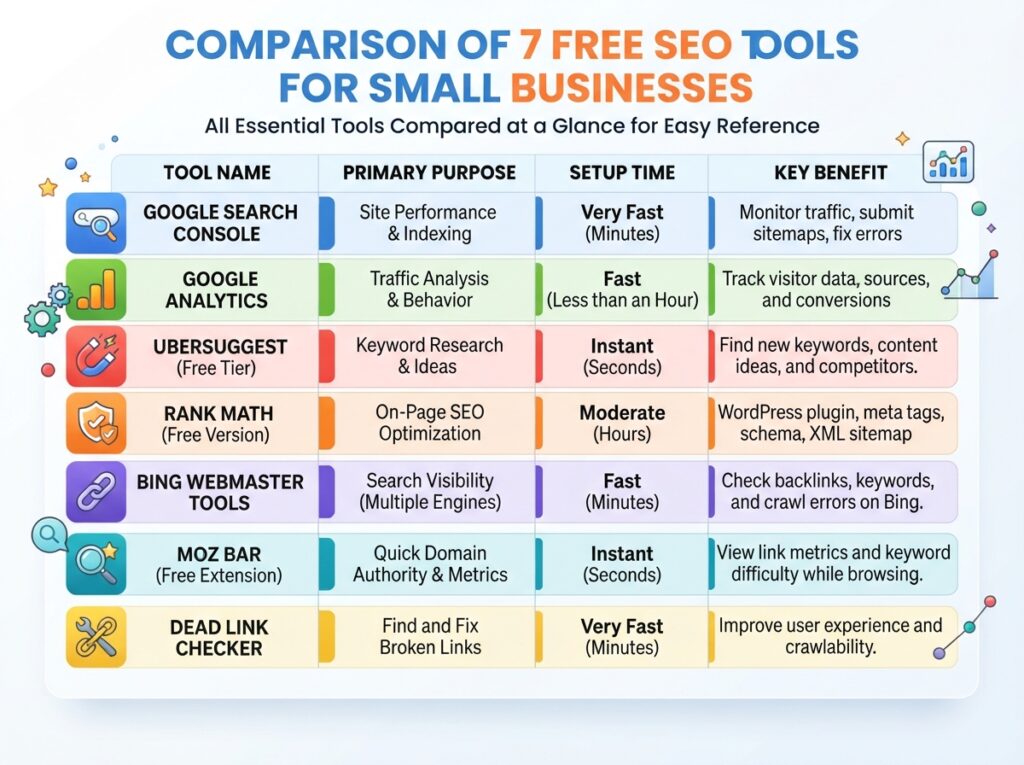
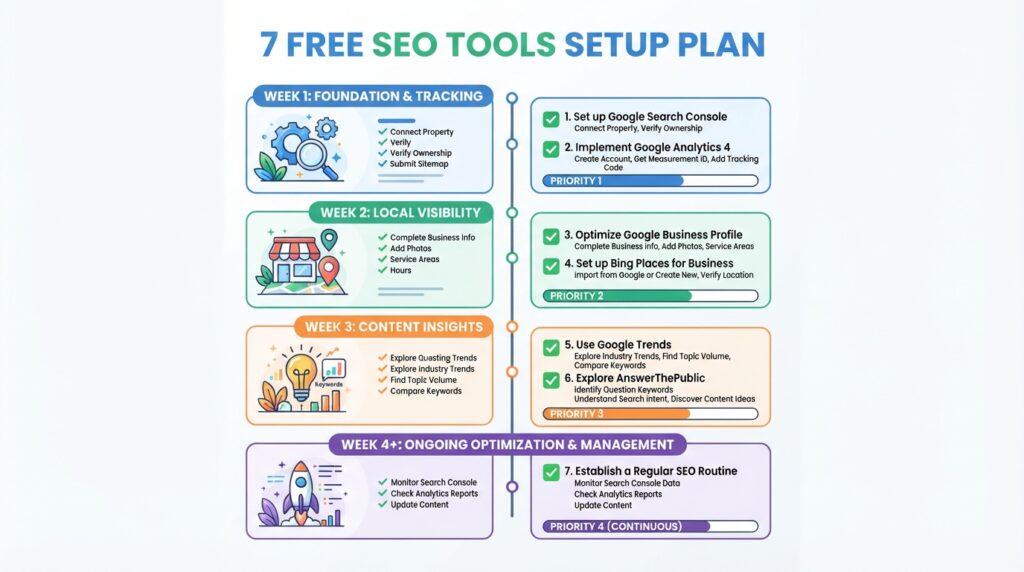
Here’s your prioritized checklist for setting up all seven free SEO tools for small business use. Follow this order for the most efficient setup process:
Week 1: Foundation Setup
- Set up Google Search Console and verify ownership
- Submit your XML sitemap to Google
- Set up Google Analytics 4 and add tracking code to your site
- Connect Search Console to Google Analytics
Week 2: Local and Secondary Search Engines
- Claim and complete your Google Business Profile
- Add 10+ photos to your Business Profile
- Set up Bing Webmaster Tools and import from Search Console
- Submit your sitemap to Bing
Week 3: Content and Technical Tools
- Run your top 5 pages through PageSpeed Insights
- Fix any high-priority performance issues identified
- Explore Google Trends for your main keywords
- Use AnswerThePublic to generate 10 content ideas
Ongoing: Weekly and Monthly Tasks
- Check Google Search Console weekly for issues and new query data
- Review Google Analytics monthly to track organic traffic trends
- Add new photos to Google Business Profile weekly
- Monitor PageSpeed Insights monthly for any performance regressions
- Use Google Trends and AnswerThePublic when planning new content
When to Upgrade From Free SEO Tools to Paid AI Tools
The free SEO tools for small business owners covered in this guide handle the fundamentals exceptionally well. But there comes a point when upgrading to paid AI SEO tools makes sense. Here’s how to know when you’re ready:
Signs You’re Ready for Paid AI SEO Tools
- You’ve used Google Search Console for at least two months and understand what data it provides. If you haven’t logged into Search Console in weeks, you’re not ready for paid tools yet.
- You know which specific keywords you want to track and need more detailed ranking data than Search Console provides. Paid rank trackers give you daily updates, competitor comparisons, and historical trends that the free tools don’t offer.
- Content creation has become your primary bottleneck. If you’re spending hours researching what to include in your articles, AI content optimization tools like Frase and Surfer SEO can cut that research time by 80% or more.
- You’re publishing at least two pieces of optimized content per month. If you’re not creating content consistently, paid tools won’t help—they’ll just cost you money while gathering digital dust.
- You can identify at least one specific task that free tools aren’t solving. Don’t buy tools because you think you should. Buy them because you have a specific problem that a paid tool will solve.
When you’re ready to upgrade, our complete guide to the best AI SEO tools for small businesses covers options for every budget, from $6.99/month to premium all-in-one platforms. For most small businesses, we recommend starting with a budget-friendly stack like Frase plus Mangools (around $45/month total) before moving to more comprehensive tools like SE Ranking or Semrush.
Budget planning tip: Not sure how much to invest in SEO tools? Our SEO budget planning guide helps you calculate the right investment based on your revenue, competition, and growth goals.
Final Verdict: Your Free SEO Stack
Here’s what your complete free SEO stack should look like after following this guide:
| Tool | Purpose | Setup Time | Check Frequency |
|---|---|---|---|
| Google Search Console | Search performance and technical monitoring | 15 minutes | Weekly |
| Google Analytics 4 | Traffic analysis and conversion tracking | 20 minutes | Monthly |
| Google Business Profile | Local search visibility | 30 minutes | Weekly |
| Bing Webmaster Tools | Bing search performance | 10 minutes | Monthly |
| Google Trends | Content and keyword inspiration | 5 minutes | When planning content |
| PageSpeed Insights | Technical performance analysis | 5 minutes | Monthly |
| AnswerThePublic | Question-based content ideas | 5 minutes | When planning content |
Total setup time: Under 2 hours for everything.
Total cost: $0.
The most important thing: These free SEO tools for small business owners only deliver value if you actually use them. Set aside 30 minutes every Monday morning to check your Search Console data, review your Google Business Profile, and plan any content updates. Consistency with free tools will dramatically outperform sporadic use of expensive paid platforms.
Once you’ve mastered these free tools and are ready for deeper insights, explore the best AI SEO tools for small businesses to find the right paid upgrades for your needs. If you’re unsure whether to handle SEO yourself or hire help, our AI SEO vs manual SEO comparison will guide your decision.
