




Choosing a web hosting service is one of the most important decisions you’ll make for your website. The right host keeps your site online, loads pages quickly, protects your data, and scales with you. The wrong host leads to downtime, slow performance, hidden fees, and endless frustration. This guide is built for beginners and business owners who need a clear, honest, and thorough comparison of the best web hosting services available today.
We evaluated ten hosting providers based on official specifications, industry reputation, and known pricing patterns. We did not conduct hands-on testing. Every current price, plan detail, and availability claim must be verified against the provider’s official site before you buy. What you’ll get here is a practical decision framework that helps you avoid the traps most listicles ignore.
Quick Verdict: If you want affordable shared hosting with strong performance, start with Hostinger. If you want beginner-friendly WordPress onboarding, choose Bluehost. If you need excellent support and managed WordPress, pick SiteGround. If you’re a developer or agency, Cloudways gives you more control without a huge price jump. For premium managed WordPress, WP Engine is the benchmark. For sustainable hosting, GreenGeeks stands out. For cheap month-to-month hosting, DreamHost is a solid choice.
Quick Summary Table
| Best for | Service | Why | Key limitation |
|---|---|---|---|
| Best budget overall | Hostinger | Low intro pricing, good speed | Renewal price jumps |
| Best beginner WordPress | Bluehost | Official WordPress.org recommendation, easy onboarding | Upsells and renewal cost |
| Best support & managed WP | SiteGround | High-quality support, managed features | Higher entry and renewal price |
| Best speed-oriented | A2 Hosting | Turbo plans, developer tools | Plan choices can confuse |
| Best managed cloud | Cloudways | Pay-as-you-go cloud, no shared limits | No email hosting included |
| Best premium managed WP | WP Engine | Enterprise-level managed WordPress | Expensive for small sites |
| Best sustainable hosting | GreenGeeks | 300% renewable energy match | Higher renewal rates |
| Best month-to-month | DreamHost | No forced annual contract, simple pricing | Support can be slow |
| Best all-in-one marketing | GoDaddy | Domain, hosting, and marketing tools in one | Upsell-heavy, mixed performance |
| Best for business email | InMotion Hosting | Generous email limits, US-based support | Higher intro price than budget hosts |
What Is Web Hosting?
Web hosting is a service that stores your website’s files, databases, and media on a server connected to the internet. When someone types your domain name into a browser, the hosting server delivers your site to them. Without hosting, your domain name has nowhere to live.
Most beginners start with shared hosting, where multiple websites share one server. It’s affordable but has performance limits. As your site grows, you may need shared hosting vs VPS or a managed option.
Every hosting plan includes at least three core components: storage, bandwidth, and a control panel. Storage holds your files. Bandwidth determines how much data can be transferred to visitors. The control panel is where you manage email accounts, databases, and settings. Beyond these basics, hosting differs in speed, security, support, and scalability.
Types of Web Hosting
| Type | Best for | What you should know | Typical price range |
|---|---|---|---|
| Shared hosting | Small sites, beginners | Cheapest; resources shared; can slow under traffic spikes | $2–$10/month intro |
| VPS hosting | Growing sites | Dedicated resources; more control; higher cost | $20–$80/month |
| Cloud hosting | Scalable projects | Pay for what you use; good uptime; technical setup varies | $10–$100+/month |
| Managed WordPress | WordPress users | Automatic updates, staging, specialized support; costlier | $15–$50+/month |
| Dedicated hosting | Large enterprises | Full server control; expensive; requires expertise | $80–$300+/month |
| Reseller hosting | Agencies, freelancers | Sell hosting to clients; white-label options | $20–$60/month |
For a deeper explanation of cloud options, see our planned guide on cloud hosting explained.
How We Evaluated
We reviewed ten hosting services based on official specifications and known industry patterns. We did not conduct hands-on testing. Our evaluation criteria include:
- Uptime history and guarantees
- Page speed and performance features (NVMe, CDN, caching)
- Pricing transparency, including renewal rates
- Support quality and channels (chat, phone, ticket)
- Security features (SSL, backups, malware scanning)
- Ease of use (control panel, onboarding)
- Scalability and developer tools
- Long-term ownership cost
- Environmental sustainability
- User feedback patterns (where available)
All current prices and plan details require verification on official pricing pages before publication.
Best Web Hosting Services Compared
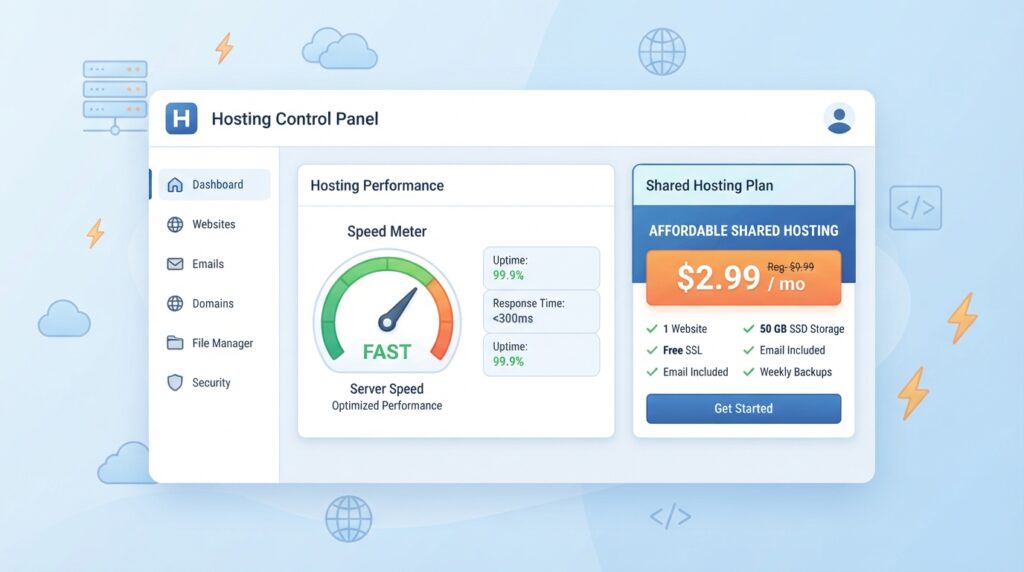
1. Hostinger — Best Budget Overall
Review Authenticity Label: Spec-Based Editorial Review
Quick Verdict: Hostinger is best for beginners and small sites that want low introductory pricing without sacrificing basic performance. Its main strength is value; its main limitation is renewal price increases.
Best for: Budget-conscious bloggers, portfolio sites, and small business sites that don’t expect huge traffic.
Who should avoid it: High-traffic ecommerce stores that need managed support or dedicated resources should look at Cloudways or WP Engine.
Key Features: Hostinger typically includes a free SSL certificate, a website builder, email hosting, and enough storage for small sites. It is known for competitive entry pricing and a custom control panel called hPanel.
Technical Details Table:
| Attribute | Details | Source | Checked Date |
|---|---|---|---|
| Control panel | hPanel (custom) | Official Hostinger | Not verified |
| Storage type | NVMe SSD | Official Hostinger | Not verified |
| Free SSL | Yes | Official Hostinger | Not verified |
| Email hosting | Included on most plans | Official Hostinger | Not verified |
| Money-back guarantee | 30 days | Official Hostinger | Not verified |
Evidence Note:
- Claim: Hostinger is positioned as a low-cost shared hosting provider.
- Source: Official Hostinger pricing and features page.
- Source type: Primary official.
- Checked date: Not verified in this session.
- Confidence: Medium.
- Limitation: Current plan names and renewal rates must be verified.
Real-World Use-Case Analysis: For a small business website or blog, Hostinger is likely to handle daily traffic without issue. If you expect rapid growth, check the renewal cost before committing to a multi-year plan.
Pros: Low entry price, fast NVMe storage on many plans, free SSL, user-friendly panel.
Cons: Renewal prices are significantly higher, phone support may be limited compared to premium hosts.
Price and Value: Current introductory pricing must be verified on the official Hostinger pricing page. Renewal cost is a critical factor — do not buy solely on introductory price.
Alternatives: Bluehost for easier WordPress onboarding; A2 Hosting for speed-oriented users.
2. Bluehost — Best Beginner WordPress
Review Authenticity Label: Spec-Based Editorial Review
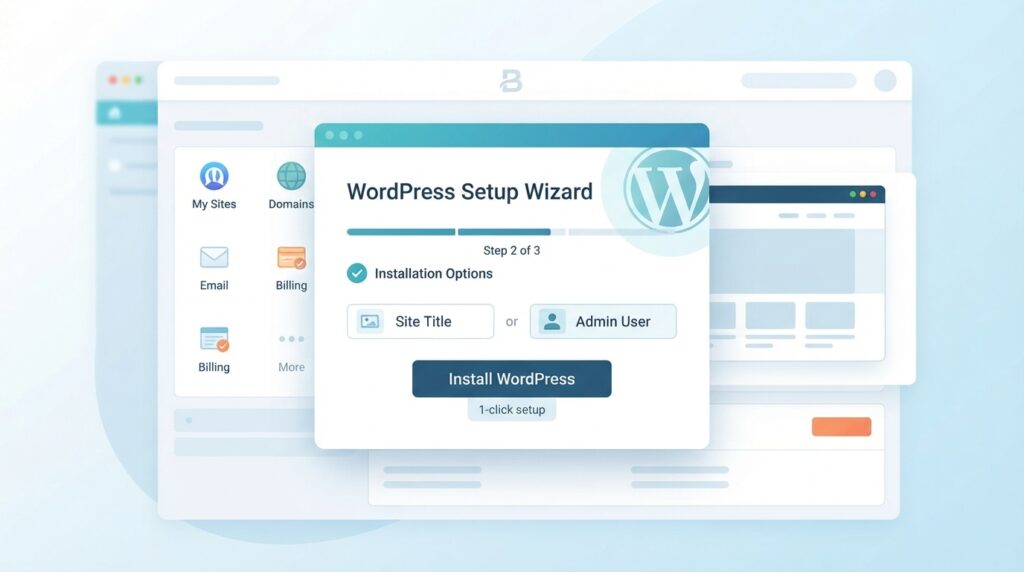
Quick Verdict: Bluehost is best for first-time WordPress users because of its simple onboarding and official WordPress.org recommendation. Its main strength is ease of use; its limitation is upsell pressure.
Best for: Beginners who want WordPress hosting with minimal setup effort.
Who should avoid it: Developers who need advanced staging or cloud features may find Bluehost limiting compared to Cloudways or SiteGround.
Key Features: Bluehost typically offers one-click WordPress installation, a free domain for the first year, a free SSL certificate, and 24/7 support. It is one of the few hosts officially recommended by WordPress.org.
Technical Details Table:
| Attribute | Details | Source | Checked Date |
|---|---|---|---|
| Control panel | Custom + cPanel (varies) | Official Bluehost | Not verified |
| WordPress integration | One-click install, auto updates | Official Bluehost | Not verified |
| Free domain | First year | Official Bluehost | Not verified |
| Support | 24/7 chat, phone | Official Bluehost | Not verified |
| Money-back guarantee | 30 days | Official Bluehost | Not verified |
Evidence Note:
- Claim: Bluehost is recommended by WordPress.org.
- Source: WordPress.org hosting recommendations.
- Source type: Authoritative third party.
- Checked date: Not verified in this session.
- Confidence: Medium.
- Limitation: Official recommendation status should be re-checked.
Real-World Use-Case Analysis: A small business owner with no technical background can sign up, install WordPress, and launch a site within an hour. The main risk is buying add-ons you don’t need during checkout.
Pros: Beginner-friendly, free domain for first year, official WordPress recommendation.
Cons: Renewal rates increase sharply; upsells can be aggressive.
Price and Value: Check current pricing on the official Bluehost pricing page. Pay attention to renewal rates after the initial term.
Alternatives: Hostinger for lower cost; SiteGround for better support.
3. SiteGround — Best Support & Managed WordPress
Review Authenticity Label: Spec-Based Editorial Review
Quick Verdict: SiteGround is best for users who want high-quality support and managed WordPress features without going fully premium. Its main strength is support and reliability; its limitation is higher cost.
Best for: Business sites, growing blogs, and anyone who values responsive support.
Who should avoid it: Budget-only users may find SiteGround’s renewal cost too high; Hostinger is cheaper.
Key Features: SiteGround typically includes managed WordPress updates, daily backups, free CDN, staging tools, and strong security. It is often praised for support quality, though hands-on verification was not possible here.
Technical Details Table:
| Attribute | Details | Source | Checked Date |
|---|---|---|---|
| Control panel | Site Tools (custom) | Official SiteGround | Not verified |
| Backups | Daily automatic | Official SiteGround | Not verified |
| CDN | Free Cloudflare CDN | Official SiteGround | Not verified |
| Staging | Included on GrowBig and up | Official SiteGround | Not verified |
| Support | 24/7 chat, phone, ticket | Official SiteGround | Not verified |
Evidence Note:
- Claim: SiteGround offers managed WordPress features and daily backups.
- Source: Official SiteGround features page.
- Source type: Primary official.
- Checked date: Not verified in this session.
- Confidence: Medium.
- Limitation: Exact plan inclusions require verification.
Real-World Use-Case Analysis: For a business that cannot afford downtime, SiteGround’s reputation for reliable support is valuable. The higher renewal price is justified if you need less manual troubleshooting.
Pros: Excellent support reputation, daily backups, staging, strong security.
Cons: Higher entry and renewal cost, storage limits on lower plans.
Price and Value: Check the official SiteGround pricing page for current rates. Renewal pricing is often much higher than introductory rates.
Alternatives: WP Engine for premium managed WordPress; Cloudways for flexible cloud hosting.
4. A2 Hosting — Best Speed-Oriented
Review Authenticity Label: Spec-Based Editorial Review
Quick Verdict: A2 Hosting is best for users who prioritize page speed and developer-friendly tools. Its main strength is performance; its limitation is confusing plan variety.
Best for: Developers, tech-savvy users, and sites that need faster load times.
Who should avoid it: Beginners who want a simple, guided setup may feel overwhelmed by options.
Key Features: A2 Hosting is known for its Turbo plans, NVMe storage, developer tools, and generous resources. It often emphasizes speed optimization out of the box.
Technical Details Table:
| Attribute | Details | Source | Checked Date |
|---|---|---|---|
| Control panel | cPanel | Official A2 Hosting | Not verified |
| Turbo plans | Up to 20x faster | Official A2 Hosting | Not verified |
| Storage type | NVMe SSD | Official A2 Hosting | Not verified |
| Free migration | Yes, on many plans | Official A2 Hosting | Not verified |
| Developer tools | SSH, Git, staging | Official A2 Hosting | Not verified |
Evidence Note:
- Claim: A2 Hosting offers Turbo speed plans and developer tools.
- Source: Official A2 Hosting features page.
- Source type: Primary official.
- Checked date: Not verified in this session.
- Confidence: Medium.
- Limitation: Turbo plan specifics and uptime data require verification.
Real-World Use-Case Analysis: If your site relies on fast load times for conversions or SEO, A2 Hosting’s speed-oriented plans may help. However, you should test actual performance during a money-back guarantee period.
Pros: Speed-focused, developer tools, free site migration on some plans.
Cons: Plan options can be confusing; renewal rates vary.
Price and Value: Check the official A2 Hosting pricing page. Compare Turbo vs non-Turbo plans carefully.
Alternatives: Cloudways for cloud-based performance; SiteGround for managed WordPress.

5. Cloudways — Best Managed Cloud
Review Authenticity Label: Spec-Based Editorial Review
Quick Verdict: Cloudways is best for developers, agencies, and growing sites that need cloud flexibility without managing raw infrastructure. Its main strength is scalability; its limitation is no email hosting.
Best for: Developers, agencies, and ecommerce stores that need VPS-level performance without server administration.
Who should avoid it: Beginners who need email hosting and a simple cPanel interface may struggle.
Key Features: Cloudways offers managed hosting on top of cloud providers like DigitalOcean, AWS, Google Cloud, and others. It includes staging, backups, CDN integration, and pay-as-you-go billing.
Technical Details Table:
| Attribute | Details | Source | Checked Date |
|---|---|---|---|
| Cloud providers | DigitalOcean, AWS, Google Cloud, Vultr, Linode | Official Cloudways | Not verified |
| Control panel | Cloudways Platform (custom) | Official Cloudways | Not verified |
| Backups | Automated, configurable | Official Cloudways | Not verified |
| Staging | Included | Official Cloudways | Not verified |
| Email hosting | Not included | Official Cloudways | Not verified |
Evidence Note:
- Claim: Cloudways provides managed cloud hosting on third-party cloud infrastructure.
- Source: Official Cloudways platform documentation.
- Source type: Primary official.
- Checked date: Not verified in this session.
- Confidence: Medium.
- Limitation: Current cloud provider options and billing structure require verification.
Real-World Use-Case Analysis: If your site traffic fluctuates or you need root access without managing the server, Cloudways offers a strong middle path. You’ll need separate email hosting, which adds cost.
Pros: Scalable, choice of cloud provider, staging, developer-friendly, pay-as-you-go.
Cons: No email hosting included, not as beginner-friendly, costs can rise with usage.
Price and Value: Check the official Cloudways pricing page. Budget for email hosting separately if needed.
Alternatives: A2 Hosting for speed-focused shared plans; WP Engine for premium managed WordPress.

6. WP Engine — Best Premium Managed WordPress
Review Authenticity Label: Spec-Based Editorial Review
Quick Verdict: WP Engine is best for businesses that want enterprise-level managed WordPress hosting with strong security, speed, and support. Its main strength is reliability; its limitation is high cost.
Best for: High-traffic WordPress sites, ecommerce stores, and businesses that need premium support.
Who should avoid it: Small personal blogs or budget sites — you’ll pay for features you may not need.
Key Features: WP Engine typically includes daily backups, staging, automatic WordPress updates, strong security, and a dedicated support team. It is a premium managed WordPress host.
Technical Details Table:
| Attribute | Details | Source | Checked Date |
|---|---|---|---|
| Platform | Managed WordPress only | Official WP Engine | Not verified |
| Backups | Daily automatic | Official WP Engine | Not verified |
| Staging | Included | Official WP Engine | Not verified |
| Security | Managed WAF, malware scanning | Official WP Engine | Not verified |
| Support | 24/7 priority, WordPress experts | Official WP Engine | Not verified |
Evidence Note:
- Claim: WP Engine offers managed WordPress hosting with staging and daily backups.
- Source: Official WP Engine features page.
- Source type: Primary official.
- Checked date: Not verified in this session.
- Confidence: Medium.
- Limitation: Current plan limits and pricing require verification.
Real-World Use-Case Analysis: For a WooCommerce store or membership site where downtime costs money, WP Engine’s managed environment reduces operational burden. The cost is high but can be justified by reduced maintenance time.
Pros: Premium managed WordPress, strong support, staging, daily backups, high reliability.
Cons: Expensive, no email hosting, traffic limits on lower plans.
Price and Value: Check the official WP Engine pricing page. Compare against SiteGround before upgrading.
Alternatives: SiteGround for lower-cost managed WordPress; Cloudways for flexible cloud hosting.

7. DreamHost — Best Month-to-Month Hosting
Review Authenticity Label: Spec-Based Editorial Review
Quick Verdict: DreamHost is best for users who want flexible month-to-month billing without being forced into a long annual contract. Its main strength is pricing transparency; its limitation is slower support response times.
Best for: Users who dislike long-term commitments, small sites that don’t need premium features.
Who should avoid it: Those who need immediate phone support or high-touch managed WordPress may prefer SiteGround or WP Engine.
Key Features: DreamHost is known for its simple, transparent pricing with no forced annual term on many plans. It includes a free SSL, a custom control panel, and generous storage on shared plans. It is also officially recommended by WordPress.org.
Evidence Note:
- Claim: DreamHost offers month-to-month shared hosting and is recommended by WordPress.org.
- Source: Official DreamHost and WordPress.org.
- Source type: Primary official + third-party recommendation.
- Checked date: Not verified in this session.
- Confidence: Medium.
- Limitation: Current plan details and recommendation status require verification.
Pros: No forced annual contract, transparent pricing, free SSL, WordPress recommended.
Cons: Support can be slow, custom panel may take getting used to.
Price and Value: Check the official DreamHost pricing page. Monthly plans may have slightly higher monthly rates than annual, but you keep flexibility.
Alternatives: Hostinger for lower intro price; SiteGround for better support.

8. GoDaddy — Best All-in-One Marketing Platform
Review Authenticity Label: Spec-Based Editorial Review
Quick Verdict: GoDaddy is best for users who want to buy a domain, hosting, email, and marketing tools from one provider with minimal setup. Its main strength is convenience; its limitation is aggressive upsells and mixed performance reviews.
Best for: Beginners who want everything in one dashboard and don’t mind paying extra for convenience.
Who should avoid it: Performance-focused users who need fast, specialized hosting may find better value elsewhere.
Key Features: GoDaddy offers shared hosting, WordPress hosting, website builder, professional email, and a suite of marketing tools. It often bundles domain registration with hosting and includes a free SSL on some plans.
Evidence Note:
- Claim: GoDaddy provides domain, hosting, email, and marketing tools in one platform.
- Source: Official GoDaddy product pages.
- Source type: Primary official.
- Checked date: Not verified in this session.
- Confidence: Medium.
- Limitation: Current plan bundles and pricing require verification.
Pros: All-in-one convenience, massive brand recognition, easy setup.
Cons: Upsell-heavy checkout, renewal rates can be high, performance varies.
Price and Value: Check the official GoDaddy pricing page. Be cautious during checkout to avoid unwanted add-ons.
Alternatives: Namecheap for cheaper domains, Bluehost for better WordPress onboarding.

9. InMotion Hosting — Best for Business Email
Review Authenticity Label: Spec-Based Editorial Review
Quick Verdict: InMotion Hosting is best for small businesses that need generous email hosting and reliable US-based support. Its main strength is business-friendly features; its limitation is a higher entry price than budget hosts.
Best for: Small businesses, professional services, and users who need robust email and phone support.
Who should avoid it: Budget-only users may find cheaper options like Hostinger.
Key Features: InMotion Hosting typically includes generous email storage, free SSL, a free domain, and 24/7 US-based support. It uses cPanel and offers a 90-day money-back guarantee on many plans.
Evidence Note:
- Claim: InMotion Hosting offers US-based support and a 90-day money-back guarantee.
- Source: Official InMotion Hosting features page.
- Source type: Primary official.
- Checked date: Not verified in this session.
- Confidence: Medium.
- Limitation: Exact plan inclusions and guarantee terms require verification.
Pros: US-based support, long money-back guarantee, generous email, cPanel.
Cons: Higher entry cost, renewal rates increase, storage limits on lower plans.
Price and Value: Check the official InMotion Hosting pricing page. The longer guarantee can be valuable if you are testing.
Alternatives: SiteGround for managed WordPress; DreamHost for month-to-month.

10. GreenGeeks — Best Sustainable Hosting
Review Authenticity Label: Spec-Based Editorial Review
Quick Verdict: GreenGeeks is best for environmentally conscious users who want reliable shared hosting without sacrificing performance. Its main strength is its 300% renewable energy match; its limitation is higher renewal pricing.
Best for: Eco-conscious bloggers, small businesses, and anyone who wants green hosting.
Who should avoid it: Users who need the absolute lowest price or advanced cloud features.
Key Features: GreenGeeks offers shared, WordPress, VPS, and reseller hosting. It matches 300% of its energy usage with renewable energy credits and includes free SSL, free CDN, and nightly backups on many plans.
Evidence Note:
- Claim: GreenGeeks matches 300% of its energy usage with renewable energy credits.
- Source: Official GreenGeeks sustainability page.
- Source type: Primary official.
- Checked date: Not verified in this session.
- Confidence: Medium.
- Limitation: Current energy match percentage and certifications require verification.
Pros: Environmentally friendly, good performance, free SSL and CDN, nightly backups.
Cons: Renewal pricing can be high, fewer data center locations than global giants.
Price and Value: Check the official GreenGeeks pricing page. The sustainability premium may be worth it for your brand.
Alternatives: DreamHost for carbon-neutral commitment; SiteGround for managed WordPress.

Use-Case Analysis
| Use case | Best choice | Why |
|---|---|---|
| Beginner personal blog | Hostinger | Low cost, easy setup |
| Small business site | Bluehost or SiteGround | Ease of use / support |
| Growing blog | SiteGround | Managed features, reliability |
| WooCommerce store | WP Engine or Cloudways | Speed, security, scalability |
| Developer or agency | Cloudways | Cloud flexibility, staging |
| High-traffic content site | WP Engine | Premium managed WordPress |
| Budget-conscious user | Hostinger | Lowest entry cost |
| Eco-conscious user | GreenGeeks | 300% renewable energy match |
| Month-to-month flexibility | DreamHost | No forced annual contract |
| All-in-one convenience | GoDaddy | Domain, email, hosting in one |
For a more detailed small-business comparison, see our planned guide on best web hosting for small business.
Buying Guide: What Matters Most in Web Hosting
1. Uptime and Reliability
Your host should provide at least a 99.9% uptime guarantee. Look for independent uptime monitoring rather than relying only on the host’s claim. See our planned guide on uptime monitoring.
2. Speed and Performance
NVMe storage, CDN integration, and server location affect load times. If speed is critical, choose a host with performance plans like A2 Hosting or Cloudways.
3. Support
24/7 live chat is standard. Phone support is less common among budget hosts. SiteGround is often preferred for support quality. InMotion Hosting offers US-based support.
4. Security
Free SSL, malware scanning, firewalls, and automatic backups are non-negotiable. Review our planned web hosting security guide.
5. Pricing and Renewal Terms
Introductory pricing is often promotional. Renewal rates can double or triple. Always check the renewal price before buying. This is the biggest hidden cost in web hosting.
6. Storage and Bandwidth
For small sites, 10–50 GB storage is usually enough. Large media sites may need more or a VPS.
7. Email Hosting
Not all hosts include email. Cloudways and WP Engine do not include email hosting; you’ll need a separate provider.
8. Scalability
If your site will grow, choose a host that lets you upgrade to VPS or cloud without migration pain. shared hosting vs VPS explains the difference.
9. Migration Support
Free migration is valuable. Many hosts include one free site migration on higher plans.
10. Money-Back Guarantee
Most hosts offer a 30-day money-back guarantee. InMotion Hosting offers up to 90 days. Use it to test performance and support before committing long-term.
11. Sustainability
If environmental impact matters to you, look for hosts like GreenGeeks or DreamHost that use renewable energy or carbon offsets.
12. Data Center Locations
Server location affects latency. Choose a host with data centers close to your target audience. Many hosts let you choose your data center during signup.
Understanding Hosting Uptime Guarantees
Uptime guarantees are easy to misunderstand. A 99.9% uptime guarantee sounds impressive, but it still allows about 43 minutes of downtime per month. A 99.99% guarantee reduces that to about 4 minutes per month. The difference matters if your site generates revenue or leads.
Most shared hosts include an uptime guarantee, but the compensation is usually limited. You may receive hosting credits, not cash. The guarantee also does not mean your site will never go down. It means the host will compensate you in a limited way if uptime falls below the stated threshold.
What matters more than the guarantee is the host’s actual historical uptime record. Look for independent monitoring data rather than relying only on the host’s marketing. Our planned guide on uptime monitoring explains how to track this yourself.
For business-critical sites, consider a host with a stronger service-level agreement, such as managed cloud or premium managed WordPress hosting. Cheap shared hosting often has the same numeric guarantee but fewer operational safeguards.
Hosting Security Baseline: What to Look For
Security is often treated as an add-on, but it should be built into the hosting plan. At minimum, look for:
- Free SSL certificate with automatic renewal
- Malware scanning and removal
- Web application firewall
- Automatic backups with off-site storage
- DDoS protection
- Secure file transfer protocols
- Isolated accounts on shared servers
Free SSL is now standard, but malware scanning and automatic backups are not always included on the cheapest plans. For example, some budget hosts require you to pay extra for malware cleanup or daily backups. That can make a low introductory price more expensive after a security incident.
If you run WordPress, security is even more important because WordPress sites are common targets for automated attacks. A host with managed WordPress security features can reduce the risk, but it does not eliminate it. You still need strong passwords, updated plugins, and a backup plan. See our planned guide on web hosting security for a fuller checklist.
Cloudways and WP Engine generally include stronger security defaults than budget shared hosts. SiteGround also includes managed security features on many plans. But always check whether malware removal is free or an upsell.
Long-Term Ownership Cost: Beyond the Intro Price
The biggest mistake in web hosting is buying on introductory price alone. Hosting companies often discount the first term heavily and then renew at a much higher rate. A plan advertised at $2.99 per month may renew at $9.99 per month or more.
To calculate long-term cost, use this simple formula:
- Find the renewal price, not the introductory price.
- Multiply the renewal price by the number of months in a typical year or two.
- Add the cost of any paid add-ons you need, such as email hosting, daily backups, or malware protection.
- Add domain renewal cost if the host only includes a free domain for the first year.
- Compare that total across two or three hosts.
For example, if Host A has a $3/month intro but renews at $10/month, and Host B has a $5/month intro but renews at $7/month, Host B may be cheaper after the first year. The introductory price is the wrong number to optimize.
Some hosts also charge for migrations. If you switch hosts later, free migration can save you money and time. SiteGround and many premium hosts include at least one free migration on certain plans. Budget hosts may charge or make you do it manually.
Email hosting is another hidden cost. Cloudways and WP Engine do not include email. You will need a separate email provider, which typically costs a few dollars per month per mailbox. That should be added to your total cost.
Finally, consider the cost of your time. If a cheap host has slow support or frequent issues, the hours you spend troubleshooting may exceed the money you saved. Reliability and support are economic factors, not just convenience.
When to Upgrade from Shared Hosting
Shared hosting is the right starting point for many sites, but it has limits. You may need to upgrade when:
- Your site regularly loads in more than two to three seconds on shared hosting.
- You experience noticeable slowdowns during traffic spikes.
- You run an ecommerce store where checkout speed affects revenue.
- You need more control over server configuration.
- Your host warns you about resource usage.
- You need isolated resources for security or compliance reasons.
If any of these are true, compare shared hosting vs VPS or consider managed cloud hosting. Cloudways is a common stepping stone because it offers VPS-level resources without forcing you to manage the raw server.
Do not wait until your site crashes or your host suspends the account. Upgrading before problems occur is usually cheaper and less stressful than migrating during an outage.
Budget vs Premium Hosting: What You Actually Get
| Factor | Budget shared hosting | Premium managed hosting |
|---|---|---|
| Entry price | Low, often $2–$5/month | Higher, often $15–$40+/month |
| Renewal price | Can jump 2–3x | Usually more stable but still higher |
| Support | Chat-based, slower during peak | Faster, specialized, often phone or priority |
| Backups | Often limited or paid | Daily automatic, included |
| Staging | Limited or absent | Included |
| Security | Basic SSL, limited malware protection | Advanced firewall, malware cleanup, isolated environment |
| Performance | Shared resources, variable | Dedicated or semi-dedicated resources |
| Best for | Small sites, beginners | Business, ecommerce, high-traffic sites |
Premium hosting is not automatically better for everyone. A small personal blog does not need WP Engine. But a WooCommerce store with real revenue should not run on the cheapest shared plan. The right question is not “What is the cheapest host?” but “What is the cheapest host that meets my reliability, speed, and support requirements?”
For most small business sites, a mid-tier shared or entry managed WordPress plan is the practical sweet spot. Hostinger and Bluehost work for simple sites. SiteGround adds better support and managed features. WP Engine or Cloudways is justified when downtime or slow performance has direct financial impact.
Advanced Hosting Features Explained
Staging Environments
A staging environment is a private copy of your site where you can test changes before pushing them live. It’s essential for WordPress sites where a bad plugin update can break everything. Managed WordPress hosts like SiteGround, WP Engine, and Cloudways include staging. Some budget hosts may charge extra or not offer it at all.
SSH Access
SSH (Secure Shell) gives developers command-line access to the server. It’s useful for running scripts, managing files, and advanced troubleshooting. Not all shared hosts provide SSH. If you need it, check before buying. A2 Hosting, Cloudways, and most VPS plans include SSH.
Git Integration
Git integration lets you deploy code from repositories like GitHub directly to your hosting server. This is a developer feature that speeds up workflow. Cloudways and WP Engine offer Git integration. Most basic shared hosts do not.
Content Delivery Network (CDN)
A CDN stores copies of your site on servers around the world and serves them to visitors from the nearest location. This reduces latency and speeds up load times. Many hosts include a free CDN integration with Cloudflare. SiteGround and GreenGeeks include it on many plans.
Caching
Caching stores static versions of your pages so they load faster. Some hosts include server-level caching, while others rely on plugins. Managed WordPress hosts usually handle caching automatically.
Backups
Automatic backups are critical. Look for daily backups with easy restoration. Some budget hosts only offer weekly backups or charge extra. Premium hosts include daily off-site backups.
Common Mistakes, Risks, and Hidden Costs
- Buying the longest term for the lowest monthly price. Long-term plans lock in introductory pricing but make cancellation harder. If you’re unsure, choose a shorter term first.
- Ignoring renewal pricing. A $2.99/month introductory price may renew at $9.99/month or more. Always check the renewal rate.
- Paying for add-ons you don’t need. Domain privacy, backup upgrades, and security extras can often be handled with free tools or separate services.
- Choosing shared hosting for a high-traffic store. Shared hosting can slow down under traffic spikes. Ecommerce sites should use managed WordPress or cloud hosting.
- Forgetting email hosting. If you choose Cloudways or WP Engine, budget for separate email hosting.
- Skipping backups. Even if a host offers backups, keep your own off-site backup as insurance.
- Ignoring support quality. Cheap hosting often has slower support. If downtime is expensive, pay more for reliable support.
- Not testing during the money-back window. Use the guarantee period to test speed, support, and usability. Cancel if it doesn’t meet your needs.
- Overlooking data center location. Server location impacts latency. Choose a data center close to your audience.
- Ignoring scalability. If your site grows, you need a host that lets you upgrade easily. Check upgrade paths before signing up.

Migration Checklist
If you’re moving from another host, follow this checklist:
- Back up your entire current site, including database and files.
- Choose a new host and sign up without canceling the old one yet.
- Use the new host’s migration tool or request free migration if offered.
- Test the new site on a temporary URL or staging environment.
- Update DNS records to point to the new host.
- Monitor for 48–72 hours before canceling the old host.
- Keep the old host active for at least one week as a fallback.
For a more detailed walkthrough, see our planned website migration checklist.
Alternatives to Shared Hosting
| Alternative | Best for | Drawback |
|---|---|---|
| VPS hosting | Growing sites needing dedicated resources | Higher cost, more technical |
| Cloud hosting | Scalable projects, developers | Pay-as-you-go can be unpredictable |
| Static hosting | Simple sites with no backend | Limited functionality |
| Managed WordPress | WordPress users wanting hands-off maintenance | Higher cost |
If you’re considering a low-cost option but worried about hidden fees, see our planned guide on cheap web hosting without hidden fees.
Reader Decision Checklist
Use this checklist before choosing a web hosting service:
- What type of site am I building? (Blog, business site, store, portfolio, web app)
- What is my monthly traffic now, and what will it be in 12 months?
- Do I need WordPress-specific features?
- Is email hosting included, or do I need a separate provider?
- What is the renewal price, not just the introductory price?
- Does the plan include daily backups and malware protection?
- What support channels are available? (Chat, phone, email, priority)
- Is free migration included if I’m switching hosts?
- Does the host offer a money-back guarantee?
- Can I upgrade to VPS or cloud without a painful migration?
- Where are the data centers located?
- Is the host environmentally sustainable if that matters to me?
If you can answer these questions, you can avoid most hosting mistakes. The final recommendation should follow from your answers, not from an affiliate ranking.
Hosting for Specific Platforms
WordPress Hosting
WordPress powers over 40% of websites. For beginners, Bluehost and Hostinger offer easy one-click installs. For managed WordPress, SiteGround, WP Engine, and Cloudways are stronger. Managed hosting includes automatic updates, staging, and specialized support. If you’re unsure, start with a host recommended by WordPress.org.
WooCommerce Hosting
WooCommerce adds ecommerce functionality to WordPress. It requires more resources than a simple blog. WP Engine and Cloudways are excellent for WooCommerce because they handle traffic spikes, provide staging, and include strong security. Avoid cheap shared hosting for a store with real sales.
Static Site Hosting
If your site is built with a static generator like Hugo or Jekyll, you don’t need traditional hosting. Services like Netlify or Vercel offer free static hosting with global CDN. This is a low-cost alternative for simple sites.
Frequently Asked Questions
How much does web hosting cost?
Introductory shared hosting often starts around $2–$5 per month, but renewal prices are typically higher. Current pricing requires verification on official pages.
What is the difference between shared hosting and VPS?
Shared hosting splits resources among many sites. VPS gives you dedicated resources and more control. See our guide on shared hosting vs VPS.
Which web hosting is best for WordPress?
For beginners, Bluehost is a common choice. For managed WordPress, SiteGround or WP Engine is stronger depending on budget.
Do I need managed WordPress hosting?
If you want automatic updates, staging, and specialized support, managed WordPress is worth it. If you’re comfortable with basic maintenance, shared hosting may be enough.
Is free web hosting a good idea?
Free hosting usually includes ads, limited storage, and poor performance. It’s not suitable for business sites.
Can I switch web hosts later?
Yes. Most sites can be migrated. Use the money-back guarantee period to test a new host before committing.
What is renewal price shock?
Hosting companies often advertise a low introductory price that jumps significantly at renewal. Always check the renewal rate before buying.
Do I need email hosting?
If you want professional email at your domain, choose a host that includes it, or budget for a separate email provider.
Is shared hosting enough for a small business site?
Yes, for most low-to-moderate traffic business sites, shared hosting is enough at the start. Choose a host with strong support and clear upgrade paths so you can move to VPS or managed hosting when needed.
How long should I commit to a hosting plan?
Start with a shorter term if you are testing a host. Annual plans often have better introductory pricing, but you lose more if the host underperforms. Use the money-back guarantee window to evaluate speed and support before committing long-term.
What is staging, and do I need it?
Staging is a private copy of your site where you can test changes before pushing them live. It is useful for WordPress sites where a bad plugin update can break the site. Managed WordPress hosts usually include staging.
Can I host multiple websites on one plan?
Many shared plans allow multiple websites on higher tiers. Budget plans may allow only one site. If you plan to run several sites, check the plan’s site limit before buying.
What is a CDN and do I need one?
A CDN (Content Delivery Network) speeds up your site by serving files from servers closer to visitors. Many hosts include a free CDN, but you can also use Cloudflare for free.
What is NVMe storage and why does it matter?
NVMe SSDs are faster than traditional SATA SSDs. They reduce page load times. Hostinger and A2 Hosting use NVMe storage on many plans.
How important is server location?
Server location affects latency. Choose a data center close to your main audience. Many hosts let you choose your data center during signup.
What is a money-back guarantee and how does it work?
Most hosts offer a 30-day money-back guarantee. If you cancel within that window, you get a refund. Some hosts offer longer periods. Read the terms carefully, as domain registration fees are often non-refundable.
Final Verdict
There is no single “best” web hosting service for everyone. Your ideal host depends on your site type, budget, and growth plans.
- Choose Hostinger if you want the best budget entry point.
- Choose Bluehost if you’re a WordPress beginner who wants easy onboarding.
- Choose SiteGround if you value support and managed WordPress features.
- Choose A2 Hosting if speed is your top priority.
- Choose Cloudways if you’re a developer or agency needing cloud flexibility.
- Choose WP Engine if you need premium managed WordPress hosting.
- Choose DreamHost if you want month-to-month flexibility.
- Choose GoDaddy if you want all-in-one domain, email, and marketing tools.
- Choose InMotion Hosting if you need generous business email and US-based support.
- Choose GreenGeeks if environmental sustainability matters to you.
Before purchasing, verify current pricing on official pages, test the host during the money-back period, and pay attention to renewal rates. The right host is the one that matches your long-term needs, not just the lowest introductory price.

