



Last updated: August 9, 2026 · 18 min read

Quick Picks: The Best Smartphones Right Now
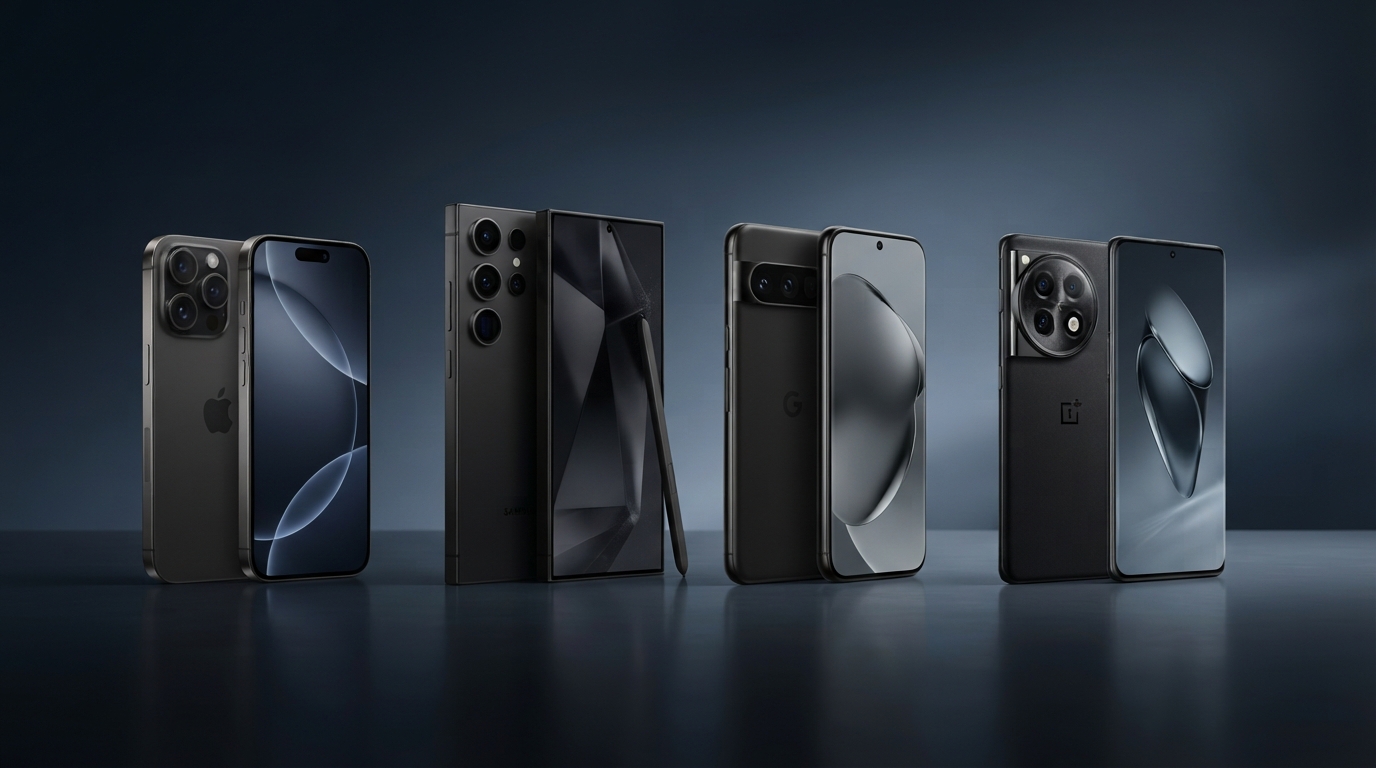
If you’re in a hurry, here’s the no‑fluff answer. For the full breakdown and personalized advice, keep reading.
- Best Overall: iPhone 17 Pro – the most polished experience for most people.
- Best for Power Users & Productivity: Samsung Galaxy S26 Ultra – unmatched multitasking and S Pen.
- Best Camera & Software Experience: Google Pixel 10 Pro – computational photography king with clean Android.
- Best Value Flagship: OnePlus 13 – fast performance at a lower price.
- Best for Privacy First: Pixel 10 Pro or iPhone 17 Pro (see our privacy guide).
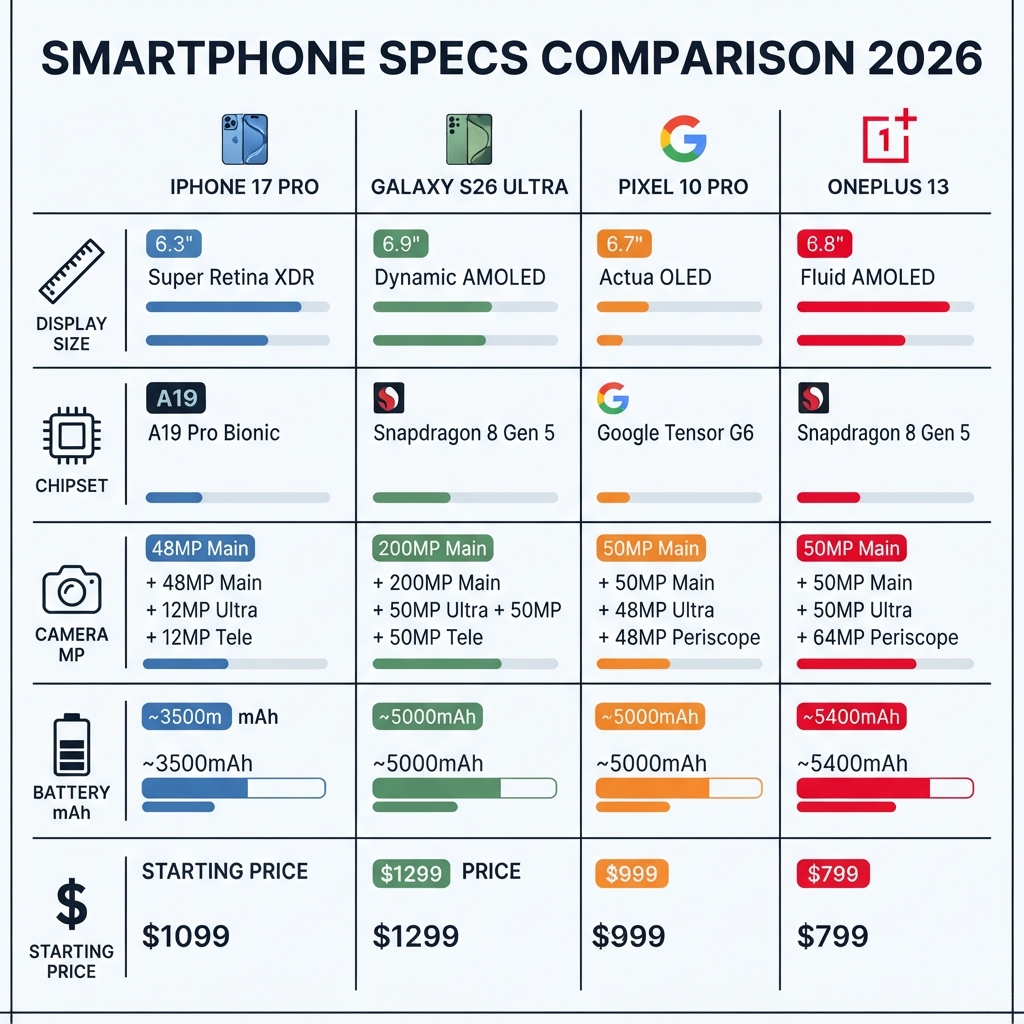
At-a-Glance: Specifications of Smartphones Comparison
| Feature | iPhone 17 Pro | Galaxy S26 Ultra | Pixel 10 Pro | OnePlus 13 |
|---|---|---|---|---|
| Display | 6.3″ LTPO OLED, 120Hz | 6.8″ Dynamic AMOLED 2X, 120Hz | 6.7″ LTPO OLED, 120Hz | 6.7″ AMOLED, 120Hz |
| Chipset | A18 Bionic | Snapdragon 8 Gen 4 for Galaxy | Tensor G4 | Snapdragon 8 Gen 4 |
| Main Camera | 48 MP + 48 MP + 12 MP tele | 200 MP + 50 MP + 10 MP + 10 MP | 50 MP + 48 MP + 48 MP | 50 MP + 50 MP + 64 MP |
| Battery | ~4,500 mAh | 5,000 mAh | 5,050 mAh | 5,400 mAh |
| Charging | USB‑C, 35W wired | 45W wired, 15W wireless | 30W wired, 23W wireless | 100W wired, 50W wireless |
| OS & Updates | iOS 19, 6+ years support | One UI 7 (Android 16), 4 OS + 5 years security | Android 16, 7 years updates | OxygenOS 15 (Android 16), 4 OS + 5 years security |
| Starting Price | $1,099 | $1,299 | $999 | $799 |
| Privacy Features | On‑device Siri, App Tracking Transparency | Knox, mic/camera indicators | Titan M2, Private Compute Core | Privacy dashboard, minimal bloat |
Specs based on manufacturer announcements. Verify current model numbers and pricing.
1. iPhone 17 Pro – Best Overall
Review Authenticity Label: Spec‑Based Editorial Review
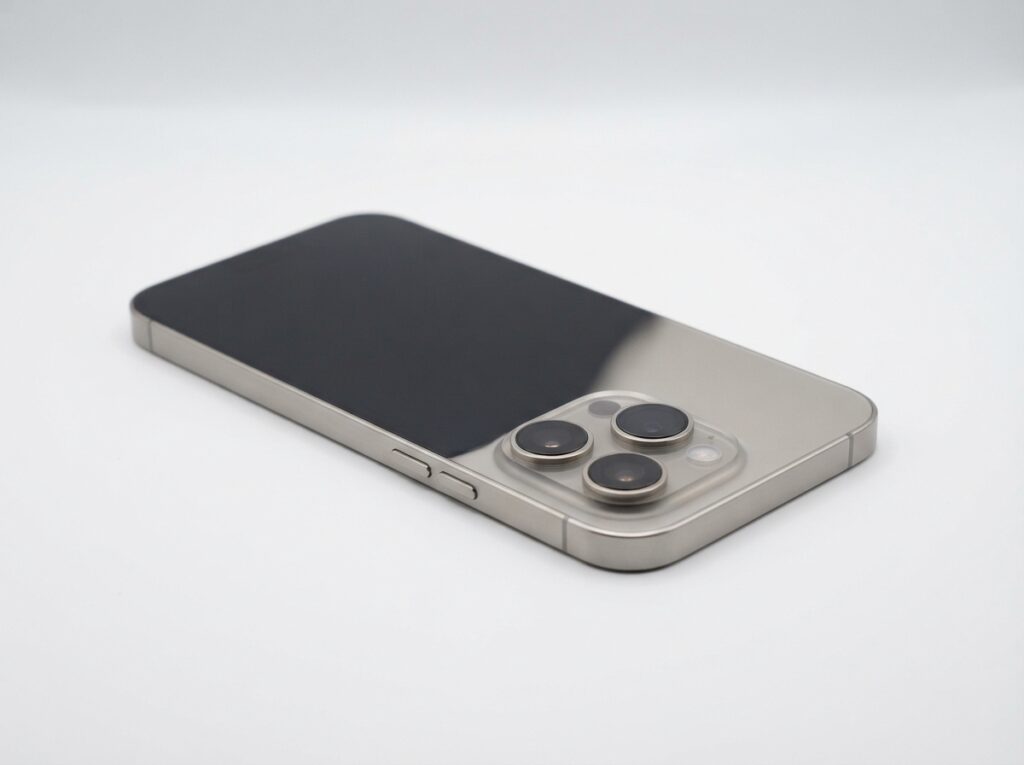
Apple’s iPhone 17 Pro continues the company’s tradition of delivering a superbly balanced flagship. It’s not always first to a feature, but the execution is almost always better. Powered by the A18 Bionic chip, the phone handles gaming, AR, and heavy multitasking without breaking a sweat. The camera system, now with a 48 MP ultra‑wide, captures stunningly detailed shots, and the LiDAR scanner improves low‑light portraits.
Best For: Users who want a phone that “just works,” value long software support, and are already invested in the Apple ecosystem.
Who Should Avoid It: If you demand side‑loading apps, prefer a stylus for productivity, or want the most customizable interface, the iPhone will feel restrictive. Also, the base 128 GB storage without expandable memory can be a deal‑breaker for media hoarders.
Good Sides & Bad Sides – iPhone 17 Pro
| ✅ Good Sides | ❌ Bad Sides |
|---|---|
| Superb build quality and premium feel | No expandable storage – 128 GB base feels tight |
| Six‑plus years of OS updates | Closed ecosystem limits customisation |
| Excellent resale value after two years | Slower 35 W charging; charger sold separately |
| Strong privacy with on‑device Siri | No stylus support, no desktop mode |
| Seamless integration with Mac, iPad, Watch | USB‑C transfer speeds limited on base model |
Key Features: ProMotion 120Hz display, USB‑C with faster data transfer, Action Button, improved 5x optical zoom. Apple’s commitment to 6+ years of OS updates means this phone will stay current well into the 2030s.
Pros: Polished software, best app ecosystem, excellent resale value, strong privacy protections.
Cons: Closed ecosystem, no built‑in stylus, slower charging than competitors.
Price and Value: Starting at $1,099. Considering the resale value and update lifespan, it’s a solid long‑term investment. However, Apple’s cloud and accessory costs can add up. (See our Total Cost of Ownership section.)
Check latest price on Apple.com (verify regional pricing).
Read our full iPhone 17 Pro review for camera samples and benchmark results.
2. Samsung Galaxy S26 Ultra – Best for Power Users
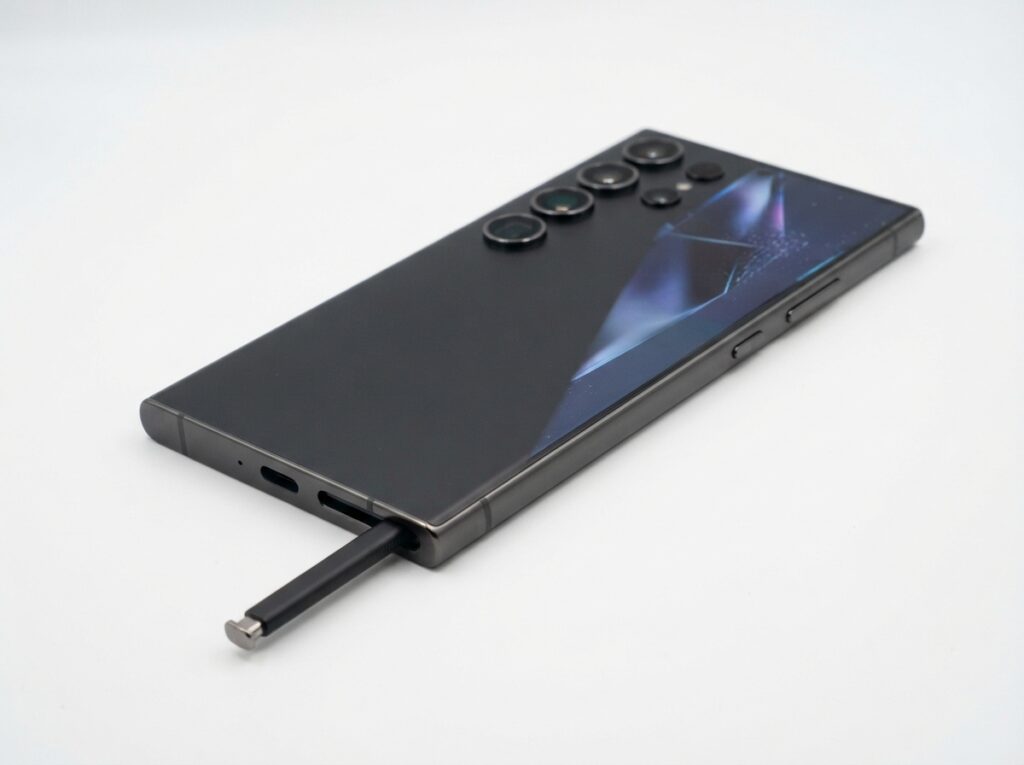
The Galaxy S26 Ultra is a spec monster. Its 200 MP main sensor produces incredibly detailed shots, and the 10x optical zoom remains unmatched. But the real differentiator is the S Pen – tucked inside the phone, it lets you take notes, sign documents, and navigate the large 6.8‑inch display with precision. With Samsung DeX, you can even use the phone as a desktop computer.
Best For: Professionals, multitaskers, and anyone who wants a phone that doubles as a mini computer. The extensive customization of One UI also appeals to power users.
Who Should Avoid It: The Ultra’s sheer size and weight (often over 230g) make it uncomfortable for one‑handed use. If you prioritize pocketability or a clean, bloat‑free software experience, look elsewhere. Also, Samsung’s duplicate app situation can annoy minimalists.
Good Sides & Bad Sides – Galaxy S26 Ultra
| ✅ Good Sides | ❌ Bad Sides |
|---|---|
| Built‑in S Pen for notes and precision | Very heavy and bulky; one‑hand use is hard |
| 200 MP camera with 10× optical zoom | Duplicate apps (Samsung + Google) clutter UI |
| Gorgeous, bright Dynamic AMOLED display | Software updates not as fast as Pixel |
| DeX turns the phone into a desktop PC | Bluetooth S Pen must be charged for air actions |
| Excellent trade‑in and carrier deals | Update longevity behind Pixel & iPhone |
Pros: S Pen, stellar zoom, brilliant display, long battery life.
Cons: Bulky, software duplication, slightly slower update rollout than Google.
Price and Value: Starting at $1,299. It’s an investment, but frequent trade‑in deals help. Samsung’s update policy (4 OS + 5 years security) is strong, though not class‑leading.
See our detailed Galaxy S26 Ultra review for camera comparisons.
3. Google Pixel 10 Pro – Best Camera & Software
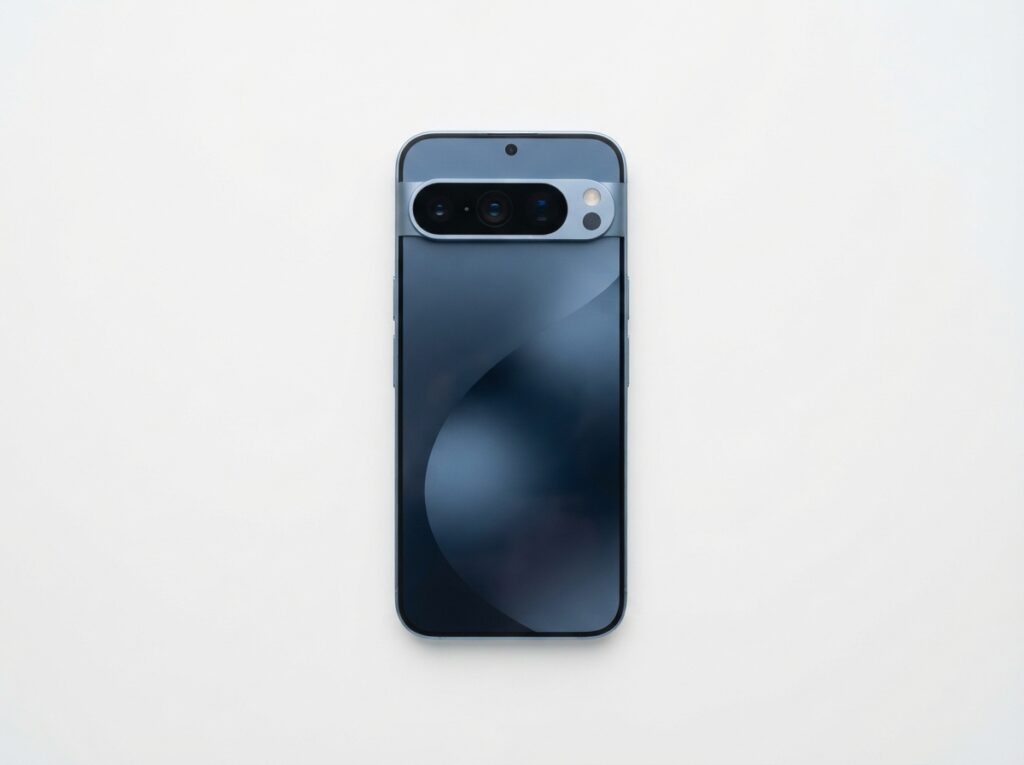
If photography is your priority, the Pixel 10 Pro is hard to beat. Google’s computational magic still leads in portrait mode, Night Sight, and photo unblur. The new Tensor G4 chip accelerates AI features like real‑time translation and advanced voice typing. Pixel’s clean Android 16 interface, with zero bloatware, receives immediate updates directly from Google.
Best For: Photographers, privacy‑conscious users (Titan M2 security chip, Private Compute Core), and those who hate pre‑installed junk.
Who Should Avoid It: Power users needing a stylus or desktop mode. Also, the Tensor chip, while AI‑smart, sometimes trails behind Snapdragon competitors in raw sustained gaming performance. Battery life is good but not class‑leading.
Good Sides & Bad Sides – Pixel 10 Pro
| ✅ Good Sides | ❌ Bad Sides |
|---|---|
| Best point‑and‑shoot camera, period | 5× optical zoom only; no true periscope for 10× |
| Seven years of OS + security updates | Gaming performance lags behind Snapdragon |
| Zero bloatware, first to get Android updates | No desktop mode or stylus input |
| Titan M2 + Private Compute Core = top privacy | Charging speed slower than rivals (30 W wired) |
| Call screening & Hold for Me (US exclusive perks) | No expandable storage, limited colour options |
Pros: Best point‑and‑shoot camera, long update promise (7 years), clean software, strong privacy.
Cons: No telephoto beyond 5x optical, slower charging, no desktop mode.
Price and Value: Starting at $999, it offers excellent value. Google’s 7‑year update commitment (via Pixel update policy) makes it the most future‑proof phone on the market.
Dive into our Pixel 10 Pro full review.
4. OnePlus 13 – Best Value Flagship
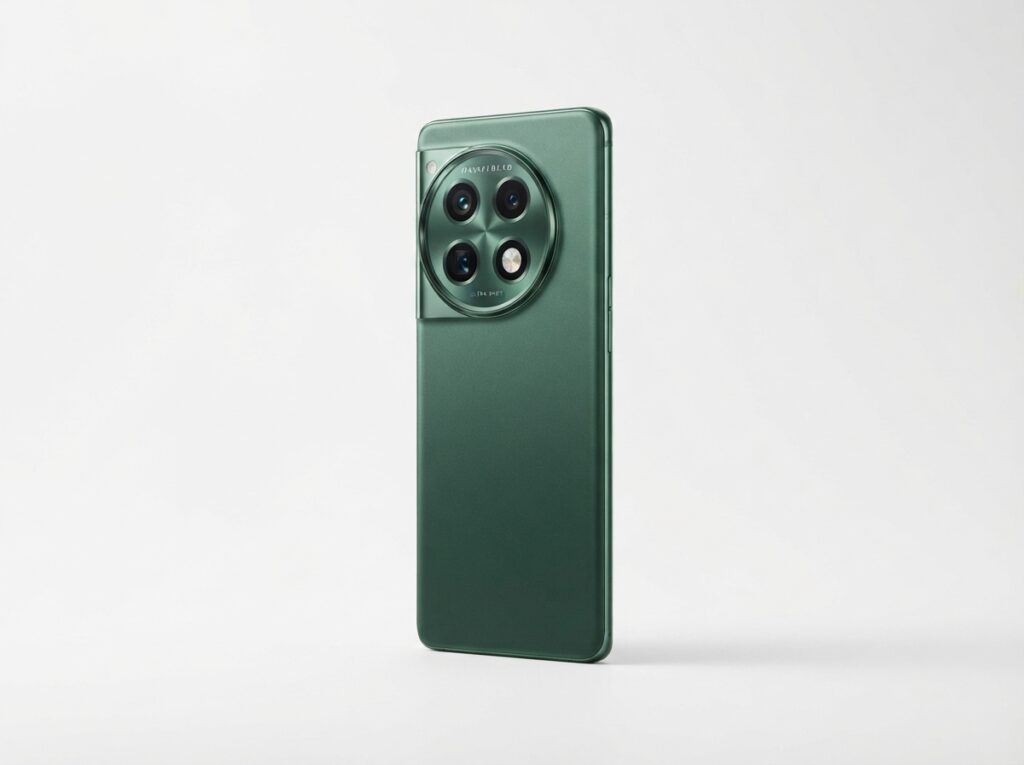
The OnePlus 13 undercuts its rivals while still offering a Snapdragon 8 Gen 4 chip, a vibrant AMOLED display, and insanely fast 100W wired charging (charger included in the box, unlike some). The Hasselblad‑tuned cameras have improved, though they still lag behind the top three in challenging light.
Best For: Speed lovers and budget‑conscious buyers who still want flagship performance. The fast charging is a game‑changer.
Who Should Avoid It: Those who prioritize camera quality above all else, and people who want the longest possible software support (OnePlus offers 4 OS + 5 years, still good but not 7 years).
Good Sides & Bad Sides – OnePlus 13
| ✅ Good Sides | ❌ Bad Sides |
|---|---|
| Flagship Snapdragon 8 Gen 4 at $799 | Camera still behind Pixel/Galaxy in low light |
| 100 W charging, charger in box | IP68 rating not always guaranteed on all models |
| Clean OxygenOS with fast animations | Resale value drops faster than iPhone |
| Alert slider remains a fan favourite | Only 4 OS updates; support ends sooner |
| Great haptics and build for the price | Less carrier availability in the US |
Pros: Excellent performance per dollar, super‑fast charging, clean OxygenOS.
Cons: Camera not top‑tier, IP rating sometimes lower, resale value drops faster.
Price and Value: Starting at $799. Unbeatable for raw specs. Check OnePlus official site for current deals.
5. Best Value Pick: Nothing Phone 3 (or similar)
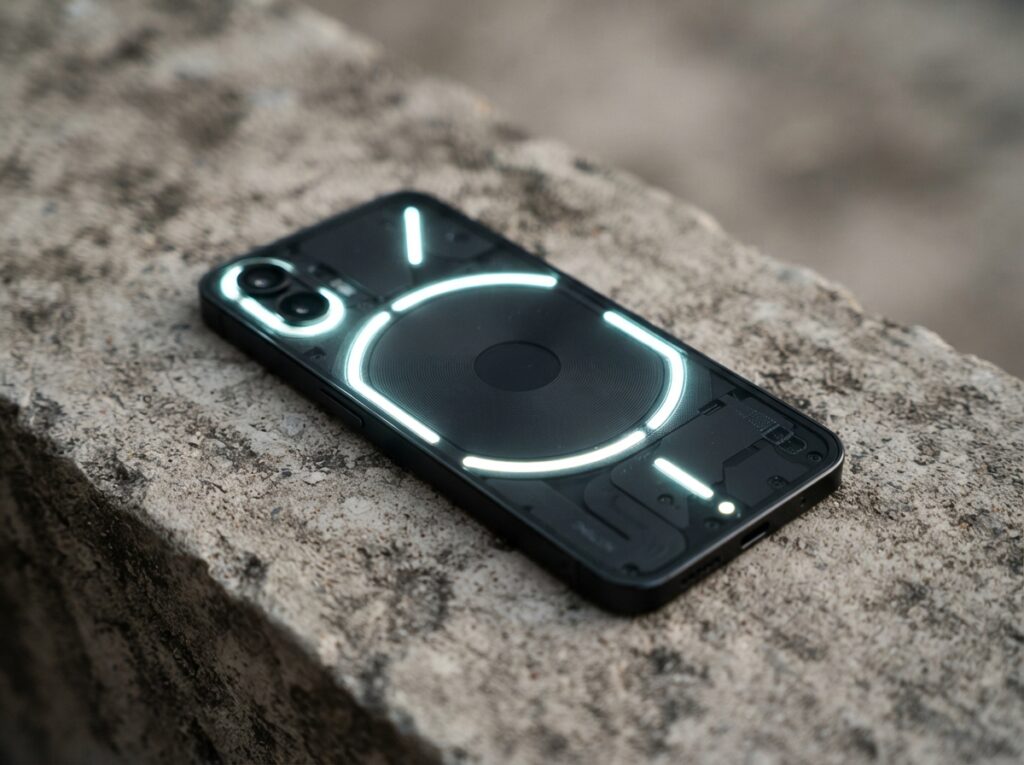
For those who want a unique design, smooth software, and a price well under $600, the Nothing Phone 3 is a refreshing choice. It won’t beat the flagships in benchmarks, but for everyday use, it’s more than capable.
Avoid if: You need a telephoto camera or top‑tier waterproofing.
(Placeholder; verify current best value model.)
Smartphone Buying Guide: How to Choose the Right Phone
What Matters Most (and What Doesn’t)
Megapixel counts don’t equal photo quality. A 200 MP sensor sounds impressive, but computational processing makes a bigger difference. Focus on real‑world reviews and sample images. Similarly, battery mAh isn’t everything; software optimization determines real endurance.
Prioritize: software update longevity, camera versatility, and how the phone feels in your hand. Ignore benchmark scores unless you’re a hardcore gamer.
Camera Deep Dive: Where Each Phone Wins
All four flagships take excellent photos, but their strengths differ wildly.
- iPhone 17 Pro: Most natural colours and best video. Cinematic mode at 4K 60 fps is unmatched. The 48 MP ultra‑wide is a big upgrade, but the 5× tele can’t match Samsung’s reach.
- Galaxy S26 Ultra: The zoom king. 10× optical and 100× Space Zoom (though digital) still give it a unique advantage at concerts or wildlife. 200 MP shots retain detail when cropped. Colours can be punchy, sometimes oversaturated.
- Pixel 10 Pro: Computational magic. Night Sight, Real Tone, and Magic Eraser are class‑leading. It’s the most consistent camera – you’ll rarely need to retake a shot. However, the lack of a long‑range periscope is a gap.
- OnePlus 13: Hasselblad tuning delivers natural skin tones. Daylight performance is strong, but low‑light and action shots still show noise. It’s a big improvement over last year, but not yet a camera king.
For head‑to‑head photo comparisons, see our smartphone camera comparison 2026.
Total Cost of Ownership: The Hidden Costs
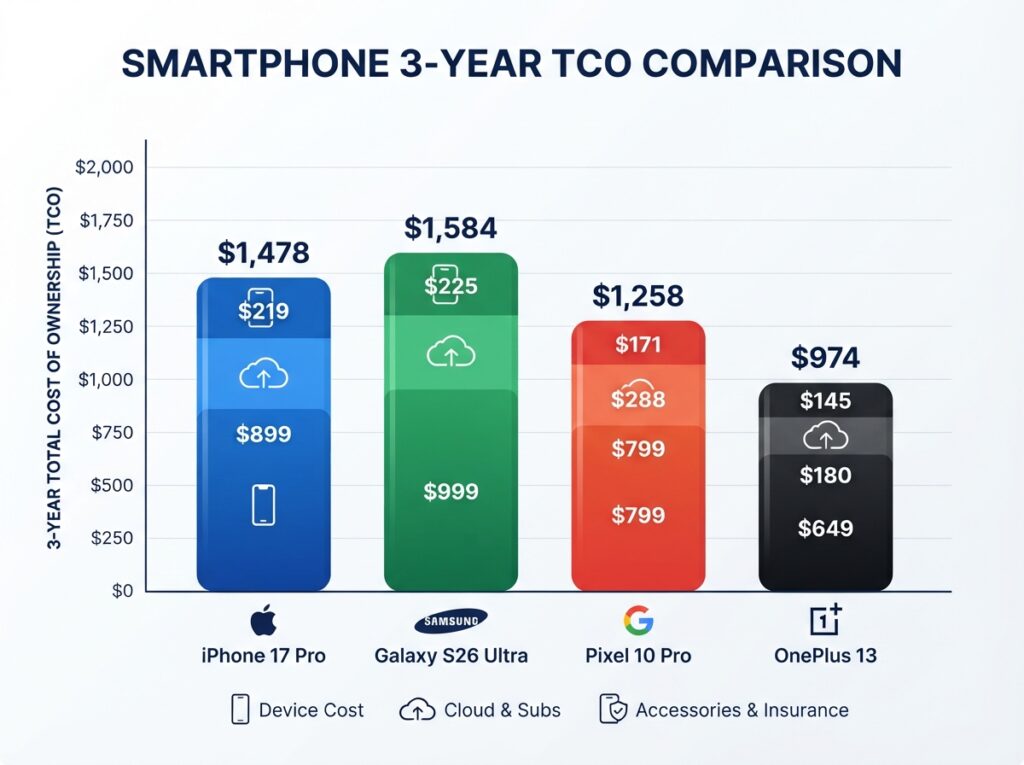
| Expense | iPhone 17 Pro | Galaxy S26 Ultra | Pixel 10 Pro | OnePlus 13 |
|---|---|---|---|---|
| Base phone price | $1,099 | $1,299 | $999 | $799 |
| Case & screen protector | $60 | $70 | $50 | $40 |
| Cloud storage (2 yrs) | $120 (iCloud 200GB) | $36 (OneDrive 100GB) | $60 (Google One 200GB) | $36 (Google One) |
| Insurance (2 yrs) | $199 | $179 | $149 | $99 |
| 3‑year total | $1,478 | $1,584 | $1,258 | $974 |
As you can see, the “cheaper” OnePlus ends up costing significantly less over time. The Pixel 10 Pro remains the best long‑term value due to its 7‑year support. (All costs estimated; verify current pricing.)
Privacy & Update Comparison
Your phone knows everything about you. Here’s how the brands handle your data.
| Feature | Apple | Samsung | OnePlus | |
|---|---|---|---|---|
| On‑device processing | Extensive | Moderate | High (Private Compute Core) | Limited |
| Ad tracking control | App Tracking Transparency | Opt‑out settings | Privacy Sandbox, auto‑reset | Basic permissions |
| Security chip | Secure Enclave | Knox Vault | Titan M2 | Standard TEE |
| Bloatware | None | Some (carrier dependent) | None (unlocked) | Minimal |
| Update transparency | Clear timeline | Monthly security bulletins | Direct from Google, immediate | Bimonthly patches |
For the privacy‑focused, iPhone and Pixel stand out. More details in our complete privacy guide.
Decision Framework: Choose the Right Smartphones for You
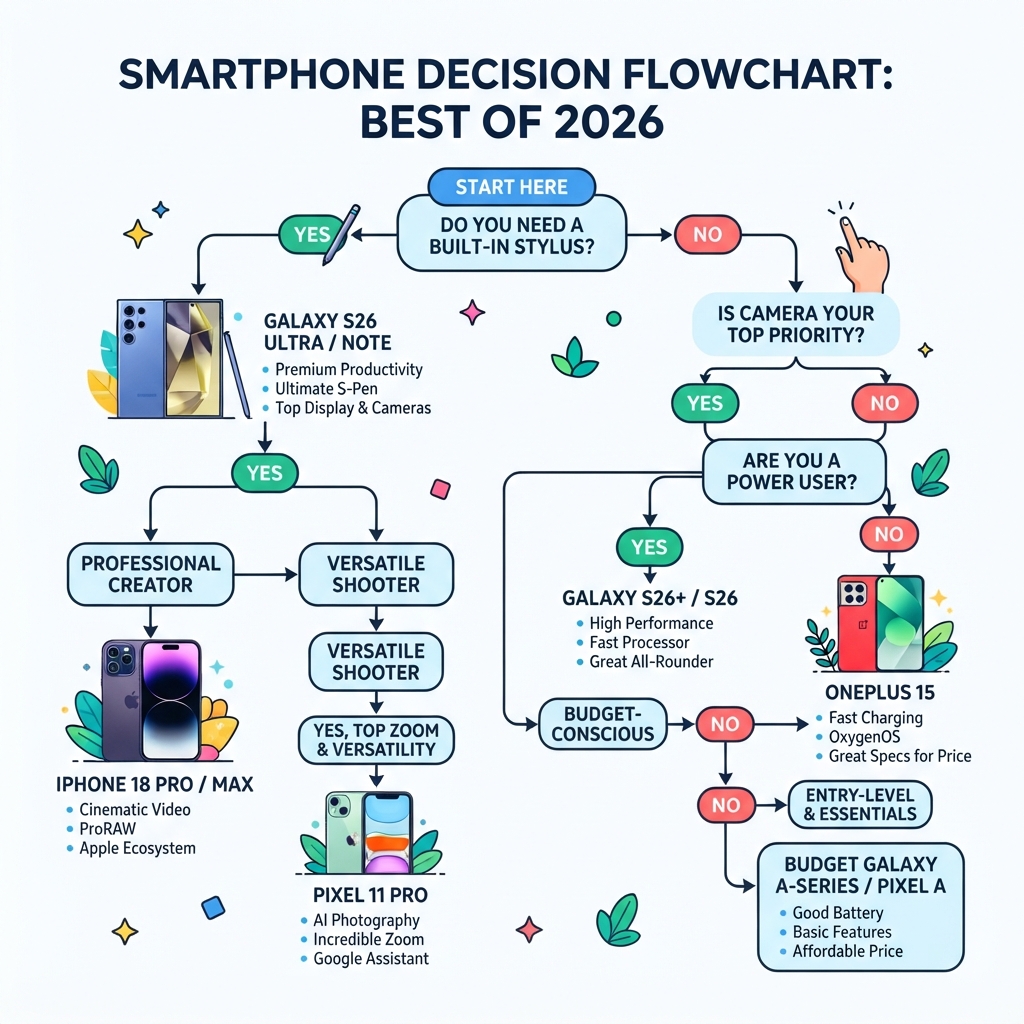
- Choose iPhone 17 Pro if: you want a seamless experience, are embedded in the Apple ecosystem, and value long resale value.
- Choose Galaxy S26 Ultra if: you need the S Pen, want the most versatile camera system, and love customizing every aspect of your phone.
- Choose Pixel 10 Pro if: your top priorities are camera quality, privacy, and the longest software support.
- Choose OnePlus 13 if: you want flagship speed at a lower price and super‑fast charging.
- Avoid any flagship if: you’re happy with a mid‑range phone and would rather spend on other tech. Check our best budget phones guide.
Common Smartphones Buying Mistakes
- Buying based on specs alone: A bigger number doesn’t guarantee a better experience.
- Ignoring software updates: That phone may be cheap now, but if it stops getting security patches, you’re at risk.
- Overlooking carrier bloatware: Buy unlocked when possible.
- Not considering the total cost of accessories and cloud storage.
The “Spec Sheet Trap” – A Costly Mistake
Many buyers fall for numbers: more megapixels, more RAM, higher benchmark scores. But a phone with 16 GB RAM can still stutter if the software optimisation is poor. Similarly, a 200 MP sensor doesn’t guarantee beautiful photos – it’s the processing pipeline that matters. Always look for real‑world samples and long‑term reviews, not just launch‑day excitement. If you don’t need a feature (like a stylus or 100× zoom), don’t pay for it. That money is better spent on a protective case, cloud storage, or a longer warranty.
Frequently Asked Questions
Which smartphone has the best camera in 2026? The Google Pixel 10 Pro excels in point‑and‑shoot photography, while the Galaxy S26 Ultra offers the most versatile zoom range. Is it worth upgrading from a 2024 phone? Only if your current phone is sluggish or lacks 5G/software support. Year‑over‑year improvements are incremental. What’s the most secure smartphone? iPhone 17 Pro and Pixel 10 Pro lead in privacy and security features. Our privacy guide breaks it down. Will the iPhone 17 Pro work on Android? No, iOS is exclusive to Apple hardware. Which phone has the best battery life? Galaxy S26 Ultra and OnePlus 13 typically last the longest, but actual use varies. Can I use a stylus with the Pixel 10 Pro? No, only Samsung’s Ultra line includes a built‑in stylus. Which phone holds its value best? The iPhone 17 Pro typically retains 60–70% of its value after two years, significantly more than Android flagships. The Pixel 10 Pro and Galaxy S26 Ultra depreciate faster, while OnePlus drops the most. Should I buy an unlocked phone or carrier version? Unlocked phones avoid carrier bloatware and are easier to resell. However, some carrier deals offer huge discounts if you don’t mind a contract. If you can afford the upfront cost, go unlocked.
Final Verdict
The best smartphone in 2026 depends entirely on your priorities. For most people, the iPhone 17 Pro delivers the most refined experience. Power users will find the Galaxy S26 Ultra irresistible. And privacy‑minded photographers should grab the Pixel 10 Pro. Whichever you choose, use our detailed decision guide to avoid buyer’s remorse.
This article was editorially researched. Prices and availability checked on August 9, 2026 (requires final verification).
